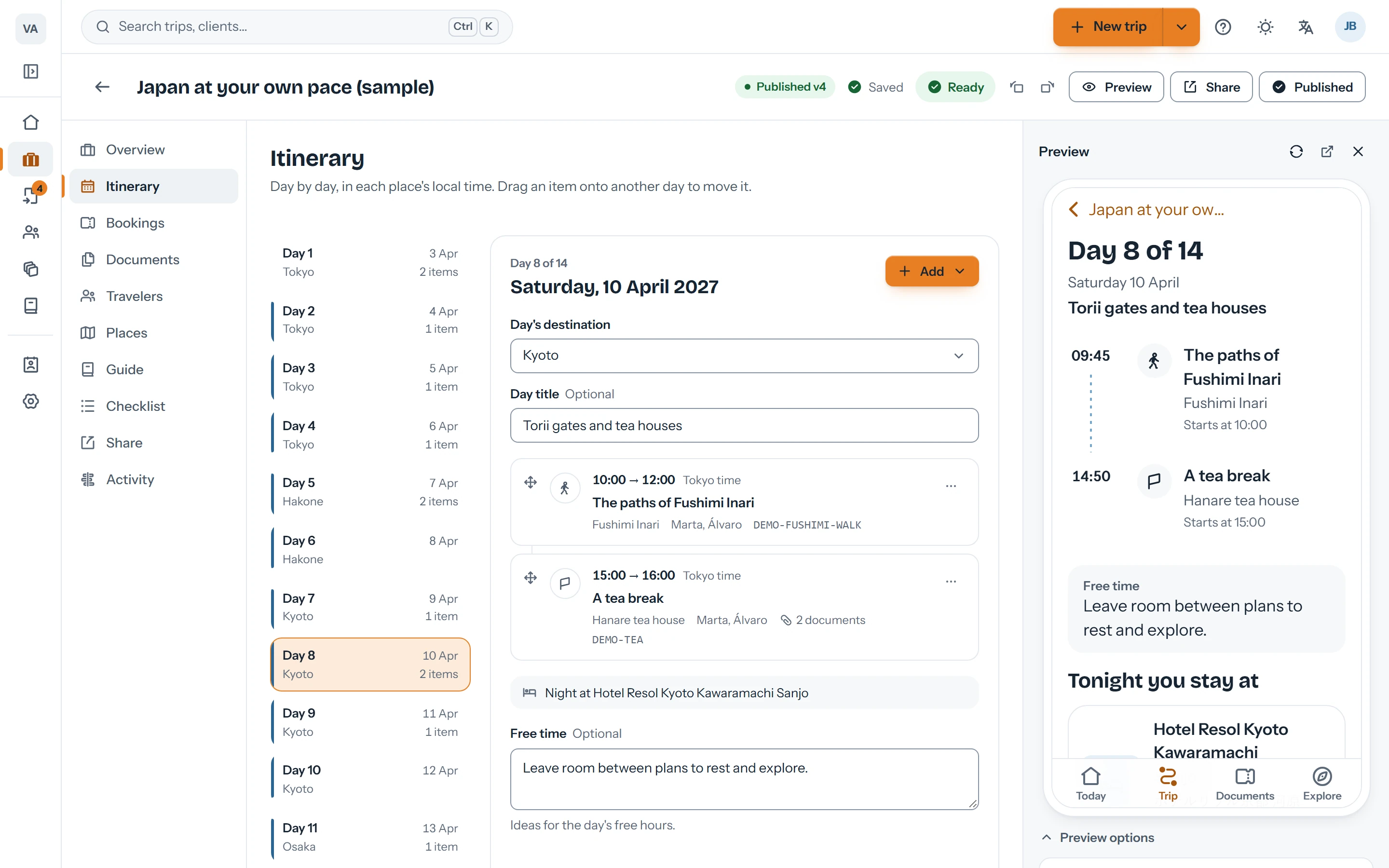
Flights, trains, transfers, hotels and activities, each with its own fields. Drag a plan to move it to another day.
3
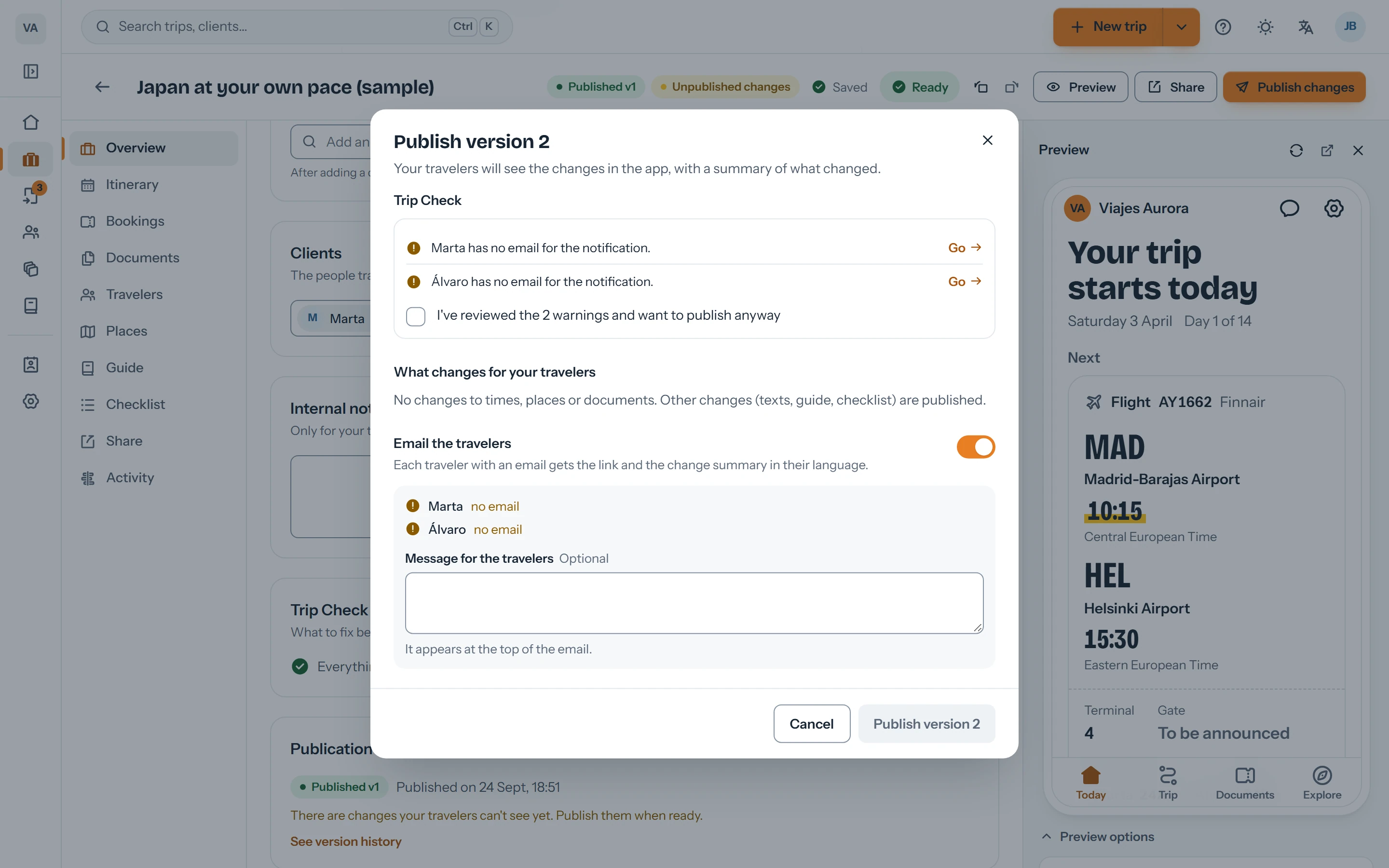
Check and publish
The check flags what's missing and the preview shows what your client will see. Publish when it's ready.
Build the trip day by day, with every time in its place.
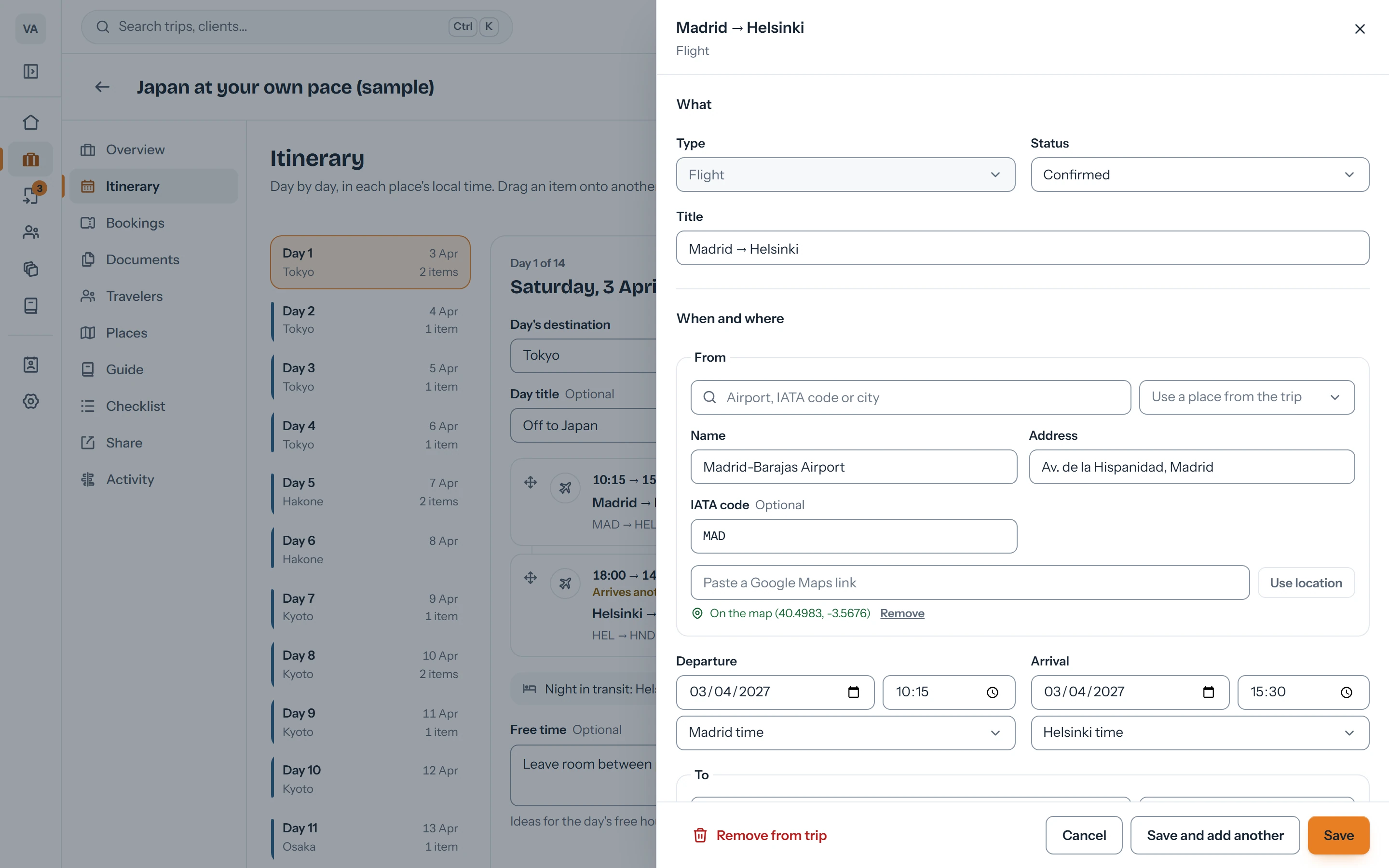
A form for each kind of booking
A flight needs a terminal, gate and seats; a transfer, a meeting point and time; a hotel, check-in, check-out and a local address. Each form asks for what's needed and nothing more.
Flight, train, bus, ferry, transfer, car, hotel, activity and restaurant
Seats per traveler and documents per booking
Notes for travelers and internal notes that are never published
The local time works itself out
Search for “MAD” or “Kyoto” and Viaondo fills in the place with its time zone, coordinates, country and currency. Times are stored in each place's local time, and times that don't exist or repeat because of a daylight-saving change are caught before saving.
Airports by IATA code and cities in several languages
Paste a Google Maps link to pin a place
Meeting, start and boarding times, each one separate
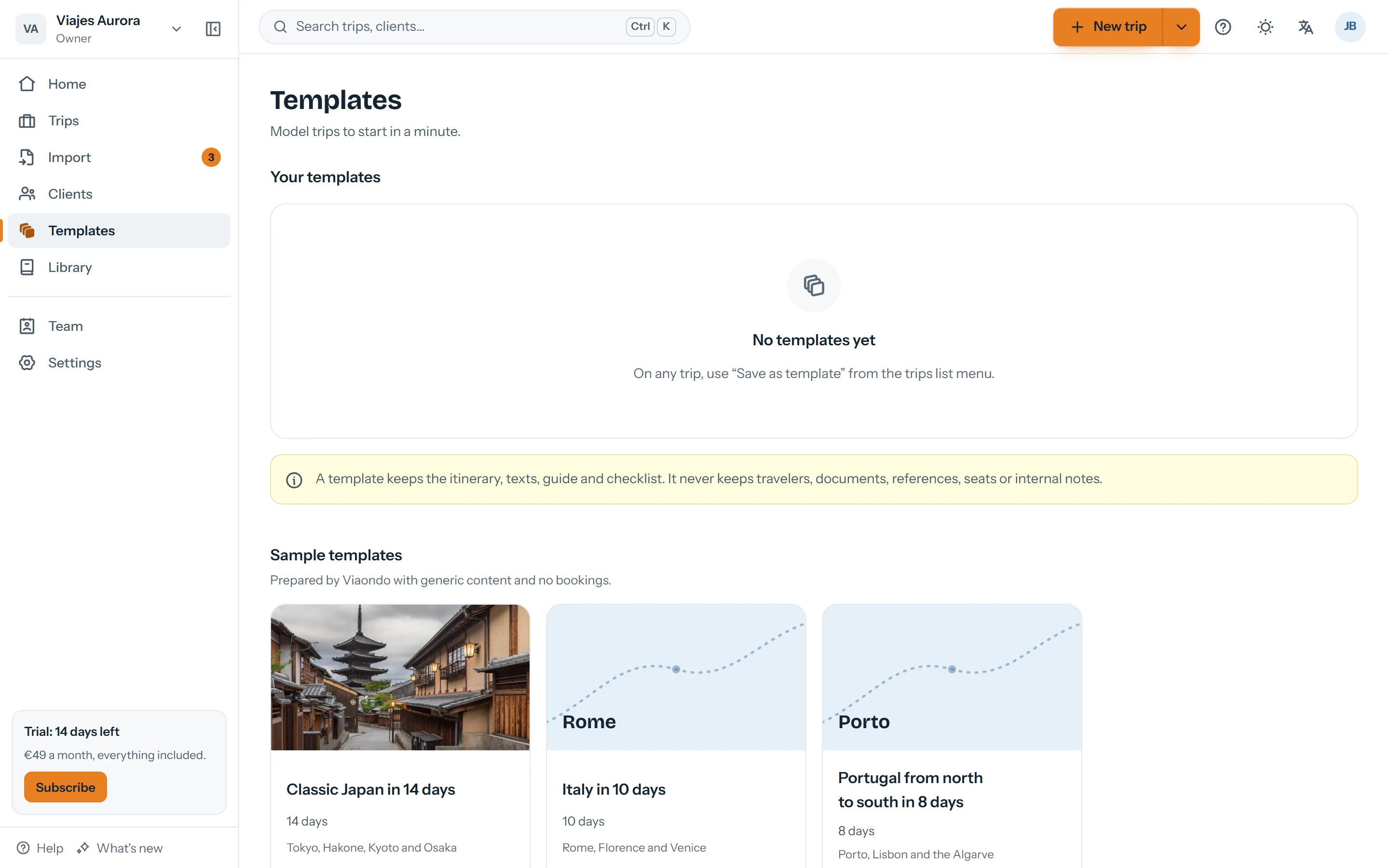
Templates and library
Save a trip as a template and start the next one with the dates already shifted. Your places, recommendations and destination guides are reused from the library.
Three starter templates: Japan, Italy and Portugal
Reusable places, recommendations, guides and checklists
For the whole agency, not just whoever created them
A check before you publish
Before every version, Viaondo goes over the trip: missing documents, empty booking references, overlapping times. Publishing creates a version that no longer changes, and the history is kept.
Summary of changes against the previous version
Optional email notice to travelers
Version history with who published each one
Questions about the itinerary builder
Can I move a plan to another day?
Yes. Drag it to another day in the list, or use “Move to another day…” in the plan's menu if you prefer the keyboard.
How are time zones handled?
Each time is stored in the local time of its place, with the time zone of the airport or city. Your client sees it the same way, with the zone's name.
Can I start from a template?
Yes. Use one of your templates or one of the three starters; the new trip is created with its dates shifted to the departure day you choose.
Do my internal notes reach the client?
No. Internal notes stay in the dashboard and are never part of the published version.