Diese Seite gibt es noch nicht auf Deutsch. Bis dahin siehst du sie auf Englisch.
Offline and updates
It works with no signal. And when something changes, they know.
The trip is saved on your client's phone the first time they open it, and Viaondo checks that the copy is complete. If you change something, you publish and they see what changed.
At the arrival airport, without roaming, the email with the voucher won't load.
A time change sent over WhatsApp gets lost among other messages.
Nobody knows which version of the itinerary is the right one.
It works with no signal. And when something changes, they know.
It saves itself and gets checked
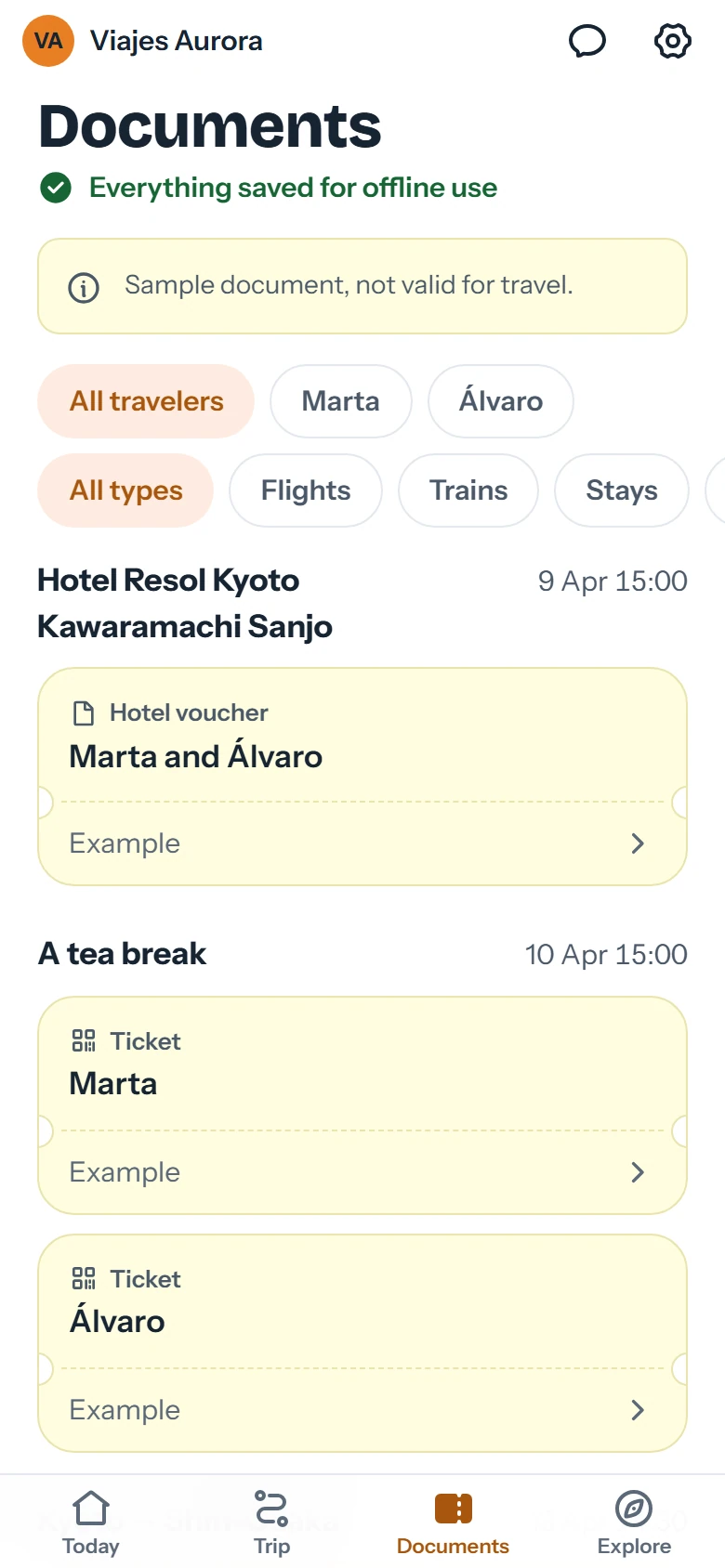
When the trip is opened with a connection, the app saves the itinerary, addresses and documents on the phone. It checks the size and fingerprint of every file before saying everything is ready.
No buttons your client has to remember
A clear “Everything saved offline” notice
Your client can delete the copy from the app
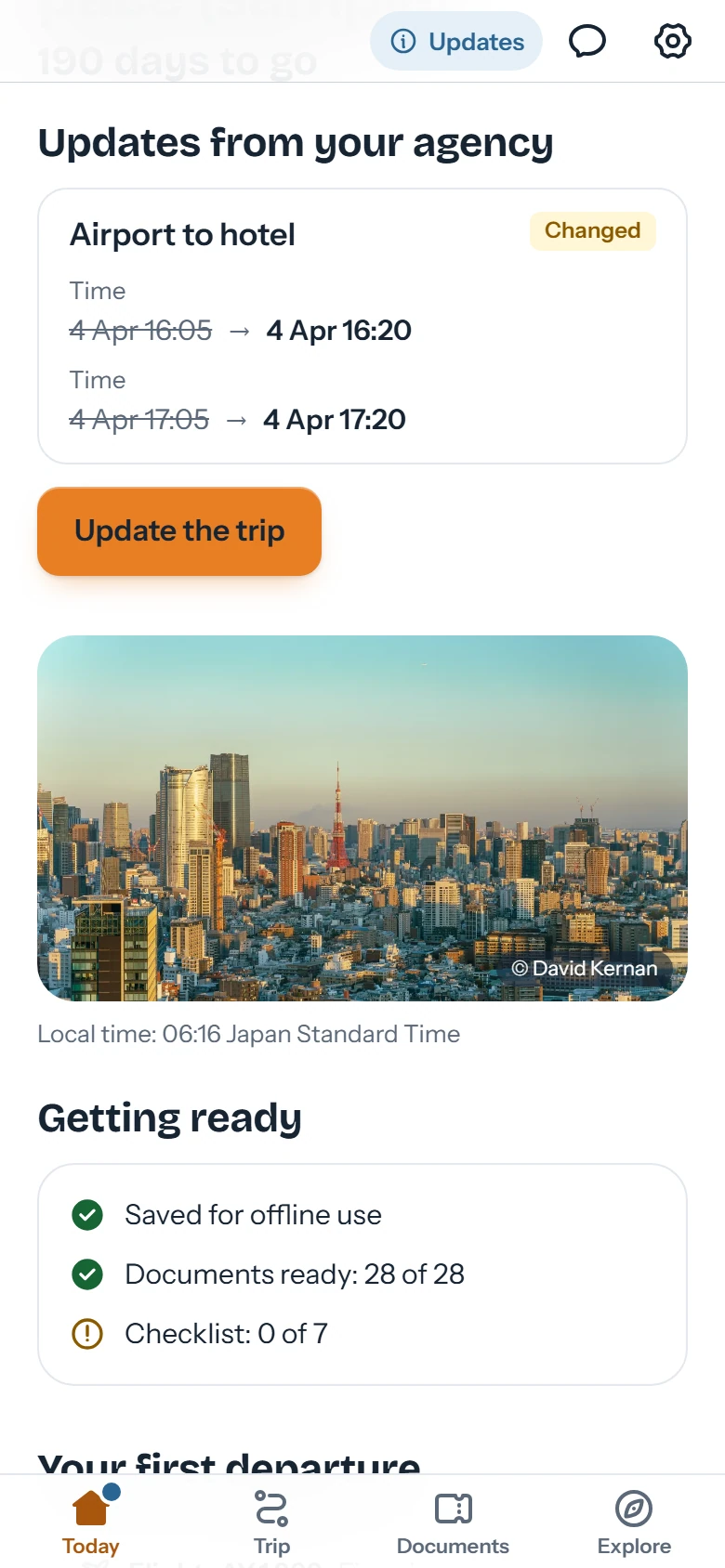
Changes with before and after
When you publish a new version, the app announces the changes and shows what changed. When the traveler accepts, the offline copy is updated.
Every published version is kept
Your travelers see the old time and the new one
Email notice in their language
When you publish, you can send travelers an email in their own language with the link to their trip. You decide on every publish whether it goes out.
With your brand and agency name
Only when you tick it
What works offline and what doesn't
We'd rather be clear: almost everything works without data, but not everything.
Works offline
The full itinerary, day by day
Addresses in the local language and “Show the driver”
Boarding passes, vouchers and other documents
Checklist, useful phrases and contact details
The last saved exchange rate, with its date
Needs a connection
The online street map
Receiving a new version of the trip
Opening external links, such as online check-in
Questions about offline mode
Does my client have to do anything to save the trip?
No. Opening the link once with a connection is enough; the app saves the trip and says when it's complete.
What happens if I revoke the link?
The link stops working and, the next time the phone connects, the app deletes the saved copy. While it stays offline, that copy can't be deleted remotely; your client can also remove it from the app.
How does my client find out about a change?
The app announces there's a new version and shows what changed. If you tick it when publishing, they also get an email.
Does it take up a lot of space?
It depends on the documents you attach. If the trip is large, the app says so before saving it.