Skip to content Founding price: US$50€45£40 a month for as long as you stay Ends 31 December 2026 Start free →

Esta página también está en español.

Ver en español

The trip works with no signal, and your clients see each change you publish.

The app saves the trip on your client’s phone the first time they open it, and Viaondo checks that the copy is complete. When you change something and publish, they see what changed.

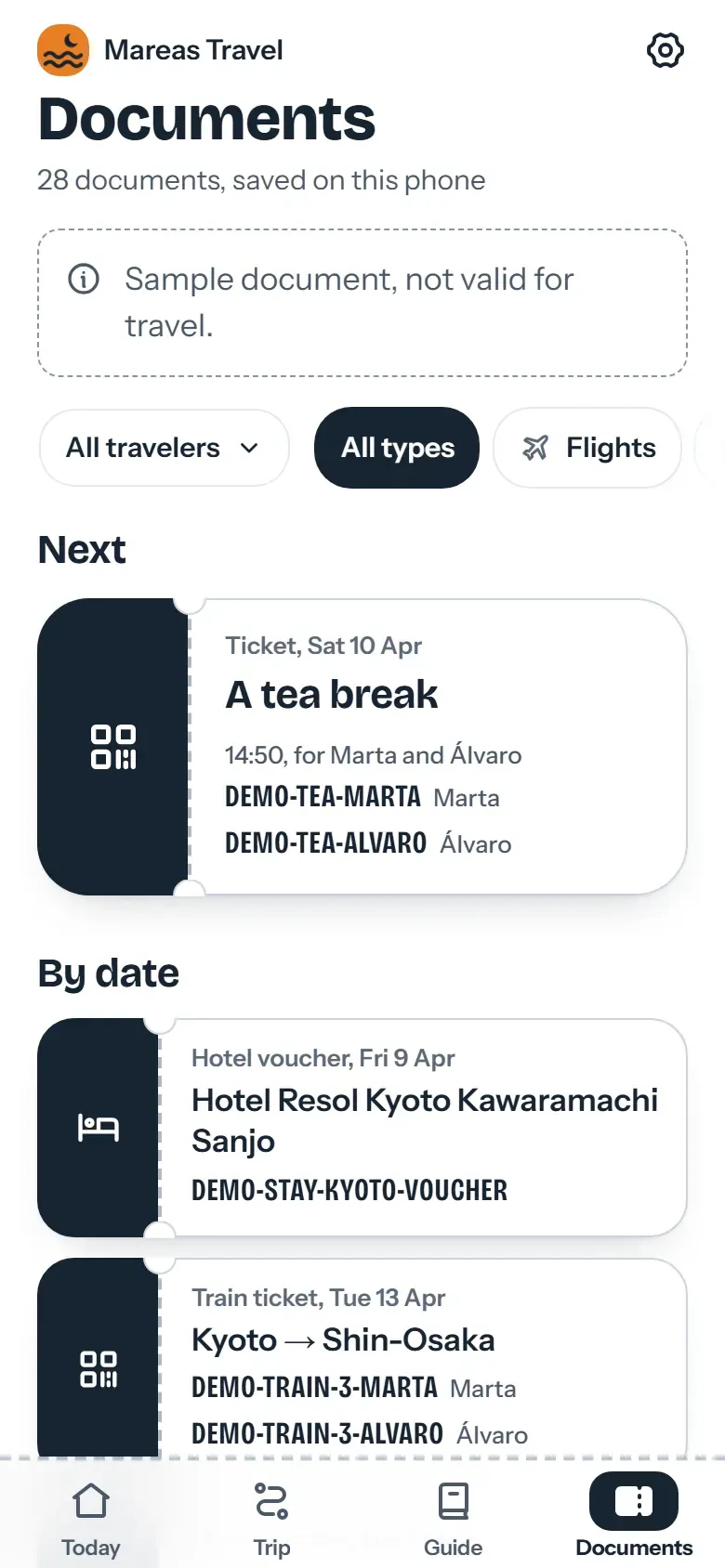
Trip documents saved on the phone, with the Saved mark and its time at the top
Day 8 of 14
  1. MAD
  2. Tokyo
  3. Hakone
  4. Kyoto
  5. Osaka
  6. MAD

Try it on a trip you’ve sold, no account

Describe a trip or drop up to 3 confirmations, and Viaondo emails you its app, usually in 5 to 15 minutes.

    or drop them on this box

    The app comes back with this name on it.

    We send the trip app’s link here once it’s ready. Nothing else.

    Text, PDF, email or a screenshot, up to 3 files.

    Usually 5 to 15 minutes

    Your files stay in the EU and are deleted with the example in 24 hours.

    How does the Viaondo traveler app work offline?

    The Viaondo traveler app saves the whole trip on your client’s phone the first time they open their private link with a connection. From then on the trip opens with no signal, in airplane mode or abroad without roaming, and the app says it is ready offline only after checking every file it saved.

    What it saves
    The itinerary day by day, hotel addresses in the local script, boarding passes, vouchers and other documents, each city’s guide and the latest exchange rates.
    How it checks
    Every saved file against its expected size and SHA-256 fingerprint, so a half-downloaded voucher never passes as saved.
    What needs data
    Only the street map, links to other websites and new versions of the trip.
    Changes
    The app shows the old and the new time, and the saved copy updates when your client taps Update. If you revoke the link, the copy is deleted the next time the phone connects.
    Example

    Worked example: Japan in airplane mode

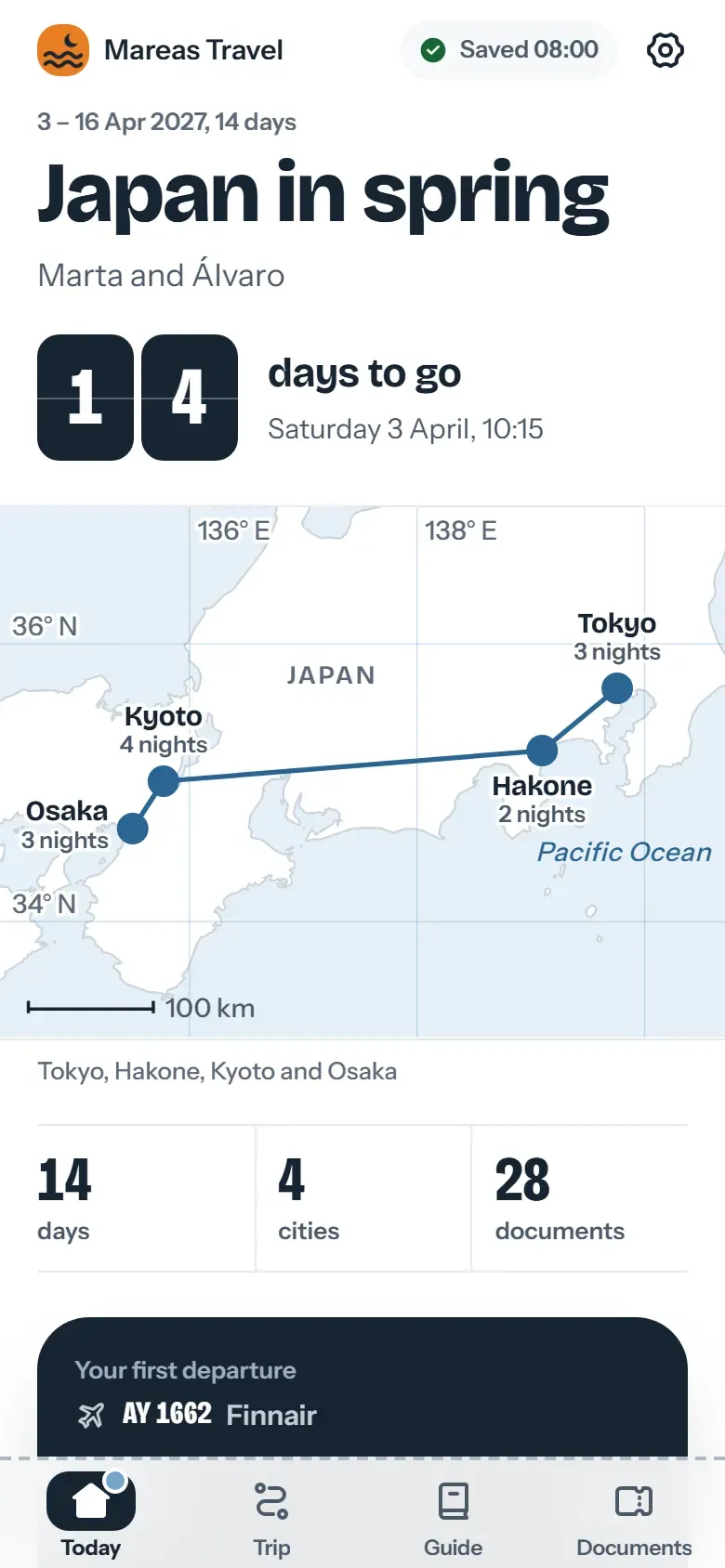
    The example app is a fictional 14-day trip to Japan, with its bookings and documents. Open it once, wait for the “Saved” mark at the top, then switch on airplane mode: the days, the documents, the Guide for each city and “Show the driver” all keep working. The changelog lists what the 9 October release added.

    Documents read
    2
    Bookings found
    20
    Places checked on the web
    45
    Times with their time zone
    45
    Things for you to confirm
    2

    What goes wrong when a trip needs data?

    Problems show up when there’s no data.

    • At the arrival airport, without roaming, the email with the voucher won’t load.
    • A time change sent over WhatsApp gets lost among other messages.
    • Your clients can’t tell which version of the itinerary is current.

    Offline and updates

    Saved automatically and verified

    When your client opens the trip with a connection, the app saves the itinerary, addresses and documents on the phone. It checks the size and SHA-256 fingerprint of each file before it says the trip is ready.

    • No buttons your client has to remember
    • A “Saved” mark at the top, with the time of the last save
    • Your client can delete the copy from the app
    Changes with before and after

    When you publish a new version, the app tells your travelers and shows them what changed. Their offline copy updates once they accept.

    • Every published version is kept
    • Your travelers see the old time and the new one
    New version notice in the app with a transfer time change

    Email notice in their language

    When you publish, you can send travelers an email in their own language with the link to their trip. You decide on every publish whether it goes out.

    • With your brand and agency name
    • Only when you tick it

    A notification on the phone

    Travelers who turn on notifications also get one when you publish a change, and reminders before departures and meetings. On an iPhone, the trip has to be on the home screen first.

    • Only if your client turns them on
    • They can turn them off in More

    What works offline and what doesn’t

    Most of the trip works without data. Three things need a connection.

    Works offline

    • The full itinerary, day by day
    • Addresses in the local language and “Show the driver”
    • Boarding passes, vouchers and other documents
    • Each city’s guide, checklist, useful phrases and contact details
    • Every currency, at the last saved exchange rate, with its date

    Needs a connection

    • The online street map
    • Receiving a new version of the trip
    • Opening external links, such as online check-in

    Questions about offline mode

    Does my client have to do anything to save the trip?
    No. Opening the link once with a connection is enough. The app saves the trip and says when it’s complete.
    Link to this answer
    How do I know the trip is really saved?
    The app checks each saved file against its expected size and SHA-256 fingerprint. Only when every file matches does it mark the trip as saved; a file that doesn’t match isn’t counted.
    Link to this answer
    Does the map work offline?
    The street map needs a connection. The places, their addresses in the local script and “Show the driver” are saved on the phone.
    Link to this answer
    Does the currency converter work offline?
    Yes. The app saves the exchange rates on the phone and shows the date of the last saved rate.
    Link to this answer
    How does my client find out about a change?
    The app announces there’s a new version and shows what changed. If they turned on notifications, they get one on the phone, and if you tick it when publishing, they also get an email.
    Link to this answer
    Does it take up a lot of space?
    It depends on the documents you attach. If the trip is large, the app says so before saving it.
    Link to this answer
    Does it work on iPhone and Android?
    Yes. The trip opens in the phone’s browser, and your client can add it to the home screen. The traveler app page has the rest.
    Link to this answer
    Is offline mode included in the plan?
    Yes. Every trip works offline on the one plan: US$50 a month or US$500 a year per agency, plus VAT where it applies. Not every trip app behaves the same with no signal, so ask any vendor in writing; itinerary software for travel agencies, side by side and Viaondo vs Vamoos are good places to start.
    Link to this answer

    Who makes Viaondo, and how we check it

    Who builds it

    Pablo Bravo builds Viaondo in Spain and answers the support email himself.

    About Viaondo

    Where the data lives

    The database and files are stored in the European Union, under a data processing agreement. Tickets and vouchers are deleted 30 days after the trip ends.

    Data processing agreementSubprocessors

    How we check other tools

    Other tools’ prices and features come from their own pages, and every comparison shows the date we checked it. Latest check: 5 November 2026.

    Travel agency software prices, side by side

    How well the import reads

    We publish a benchmark of the booking import, with its method and results.

    We ran 57 fictional travel documents through our AI import: what it got right and what it missed

    What has shipped

    Every product update is dated and explained in plain language. Latest: 4 November 2026.

    What’s new in Viaondo

    Trips that keep working without data

    Try Viaondo free for 14 days, then open a trip in airplane mode.