Aller au contenu Tarif fondateur : 50 $US45 €40 £ par mois tant que vous restez Jusqu’au 31 décembre 2026 Commencer gratuitement →

Cette page n’est pas encore disponible en français. En attendant, elle s’affiche en anglais.

Honeymoons

A honeymoon app with every table, guide and transfer in its place.

A honeymoon is a run of bookings that each have to go right: the dinner with a deposit and a dress code, the private guide, the driver at arrivals. Viaondo delivers the trip as an app with your brand, on both partners’ phones, from a private link. It costs US$50 a month per agency plus VAT.

  • Basé dans l’UE
  • Hébergé dans l’UE
  • Conforme au RGPD
Brand settings with the logo, the agency color, the contrast verdict and the app preview
Voir l’app d’exemple

Essayez sur un voyage déjà vendu, sans compte

Décrivez un voyage ou déposez jusqu’à 3 confirmations, et Viaondo vous envoie son app par e-mail, en général en 5 à 15 minutes.

    ou déposez-les dans ce cadre

    L’application revient avec ce nom.

    Nous y envoyons le lien de l’app dès qu’elle est prête. Rien d’autre.

    Texte, PDF, e-mail ou capture d’écran, jusqu’à 3 fichiers.

    En général 5 à 15 minutes

    Vos fichiers restent dans l’UE et sont supprimés avec l’exemple dans 24 heures.

    Where a couple’s trip goes wrong

    • Restaurant bookings come with deposits, cancellation deadlines and dress codes, and the couple reads them for the first time at the door.
    • Private guides and drivers each have their own meeting point and time, scattered across emails.
    • One partner has the PDF, the other has the phone that works abroad.
    • Once the couple is home, nothing in their hands says which agency planned the trip.

    What Viaondo does for a honeymoon

    From the car to the airport to the review you ask for once they’re home.

    • Every booking with what matters

      Restaurants, private tours, transfers and hotels each have their own form, with a note for the couple: the deposit, the cancellation deadline, the dress code. Internal notes stay in the dashboard.

    • The next moment, first

      The Today screen shows the next plan with its meeting point and local time: the driver at arrivals, the guide at the museum door, the boat at the quay.

    • A private link for each of them

      Share one link for the couple or a personal link for each partner, with their own documents and seats. Links are private, stored hashed, and send no referrer to other sites.

    • Your brand, or the trip’s own colors

      Your logo, colors, contact details and WhatsApp button appear on every trip, and a single trip can use its own colors.

    • After they come home

      Once the trip is over, the app shows a keepsake of the trip, your thank-you message, your review link and a button to ask you for the next trip.

    • Works without data

      After the first opening with a connection, the itinerary, addresses and documents are saved on the phone and checked by size and SHA-256 before the app says they’re ready. The street map still needs a connection.

    How a honeymoon goes out in Viaondo

    1. Import the confirmations

      Drop the flight, hotel, restaurant, guide and driver confirmations. Each booking goes into the draft with its local time and the document it came from.

    2. Add the details for the couple

      Write the deposit, the cancellation deadline and the dress code on each restaurant booking, and the meeting point on each private tour and transfer.

    3. Run the Trip Check

      Viaondo flags missing documents, empty booking references and overlapping times.

    4. Publish and send the links

      Send the couple’s link, or a personal link to each partner, by WhatsApp, email or QR code. If a table time changes, publish again and both phones show what changed.

    Each published version is kept, so you can see what the couple received and when.

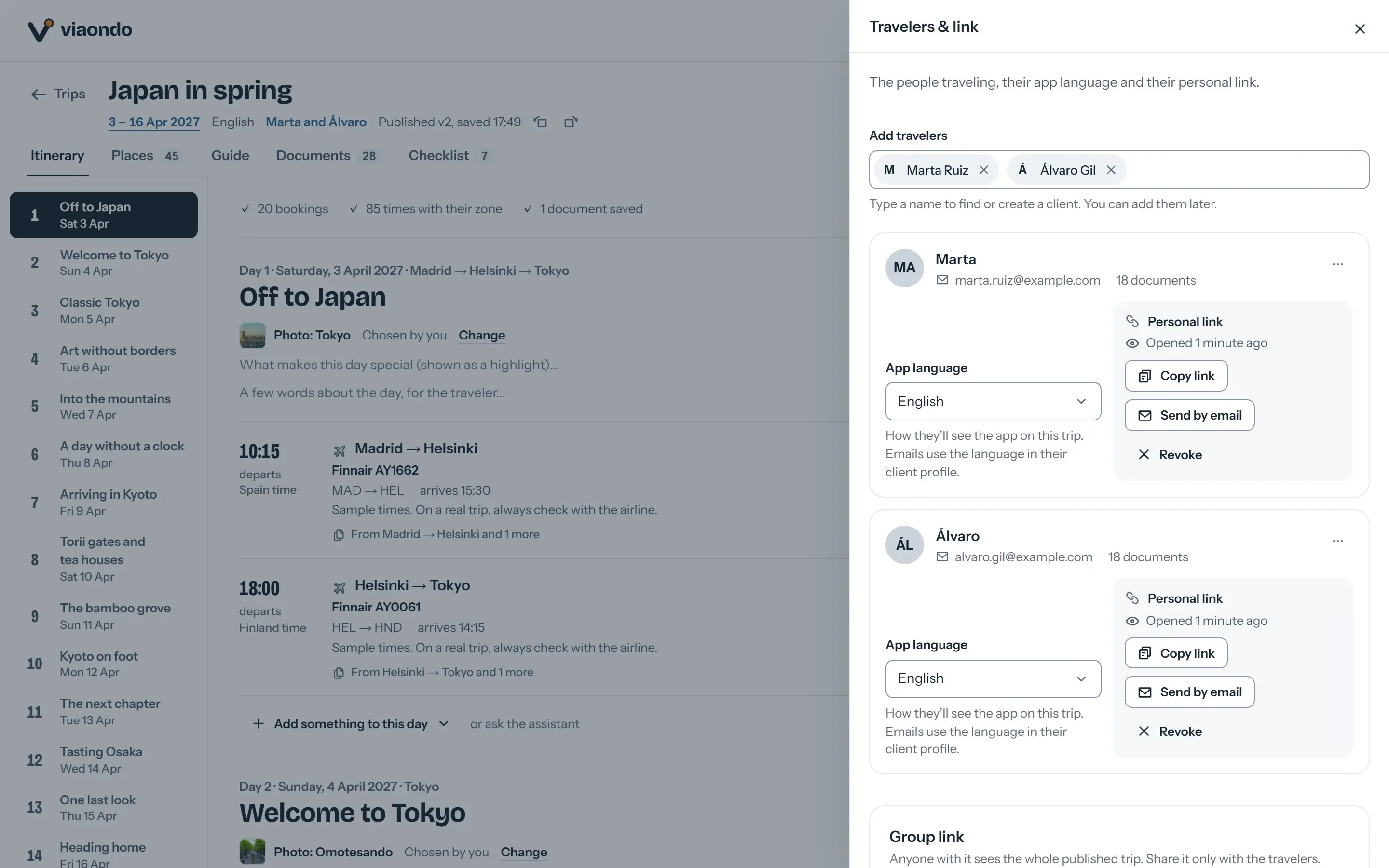
    Share panel with the trip’s private group link and a personal link for each traveler
    When the trip is ready, you send one private link to the couple, or a personal link to each partner.

    What to know before you use it for honeymoons

    Ce que fait Viaondo

    • Builds the trip from your confirmations
    • Puts every booking’s details on both phones
    • Keeps the trip working offline
    • Shows your review link after the trip

    Ce que Viaondo ne fait pas

    • Restaurant reservations and supplier bookings
    • Proposals, deposits and payments
    • Gift registries or honeymoon funds
    • A chat inside the app: the WhatsApp button opens a chat with your agency
    • An App Store or Google Play app, or a custom domain: the traveler app is a web app with your brand

    Your itinerary text is in one language per trip, though each partner reads the app’s screens in their own, from ten.

    What couples get from agencies today

    Most honeymoons still go out as a PDF, and some agencies hand out a store app. Where each one fits:

    • PDF et WhatsApp

      Free and familiar. But the deposit terms and dress codes sit in a long file, it opens offline only if someone saved it, and every change means a new PDF.

      Viaondo vs PDF et WhatsApp
    • Vamoos

      A store app with in-app messaging and flight alerts. If you want to message the couple inside the app, look at it; Viaondo opens from a link with nothing to download.

      Viaondo vs Vamoos

    What you can check for yourself

    Viaondo is new and has no published customer reviews yet, so these are the things you can verify rather than take on trust:

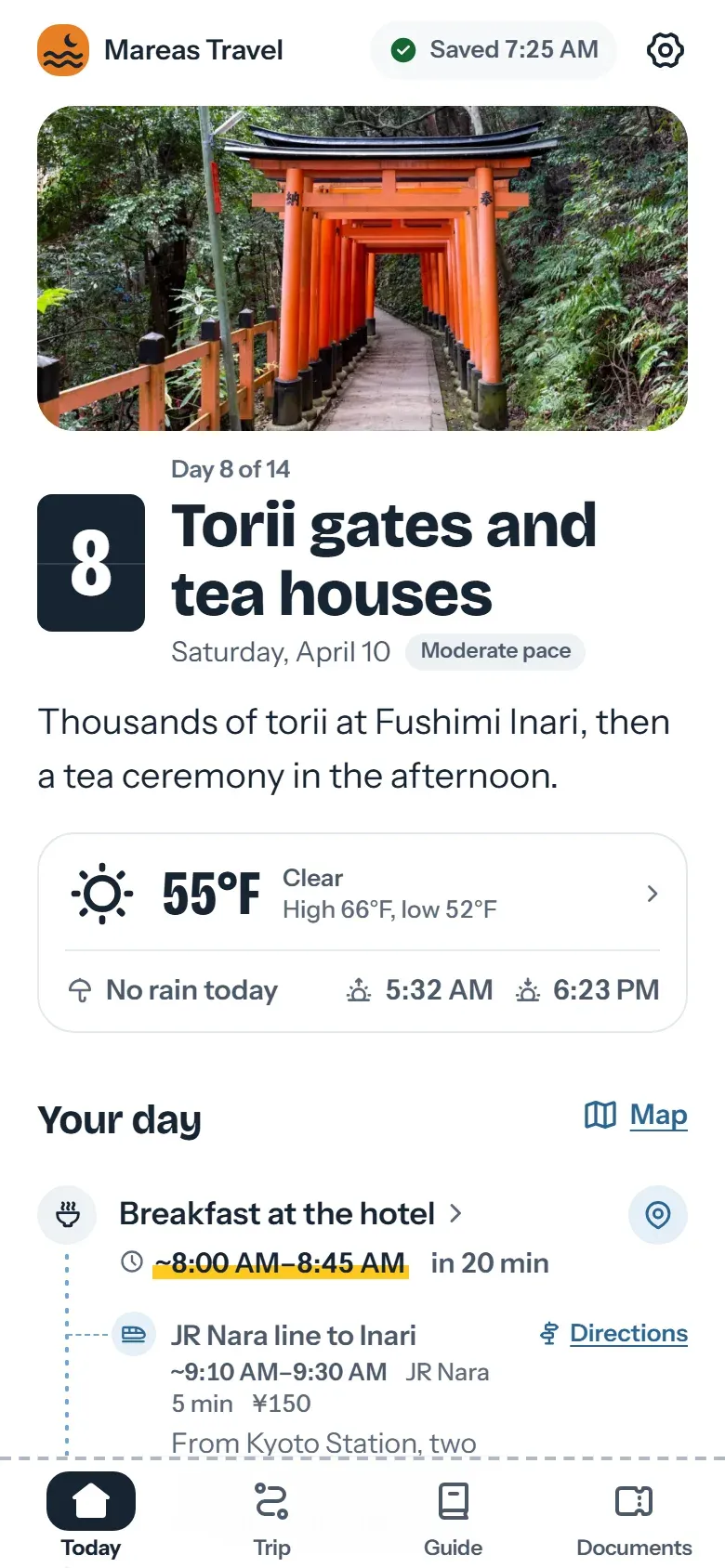
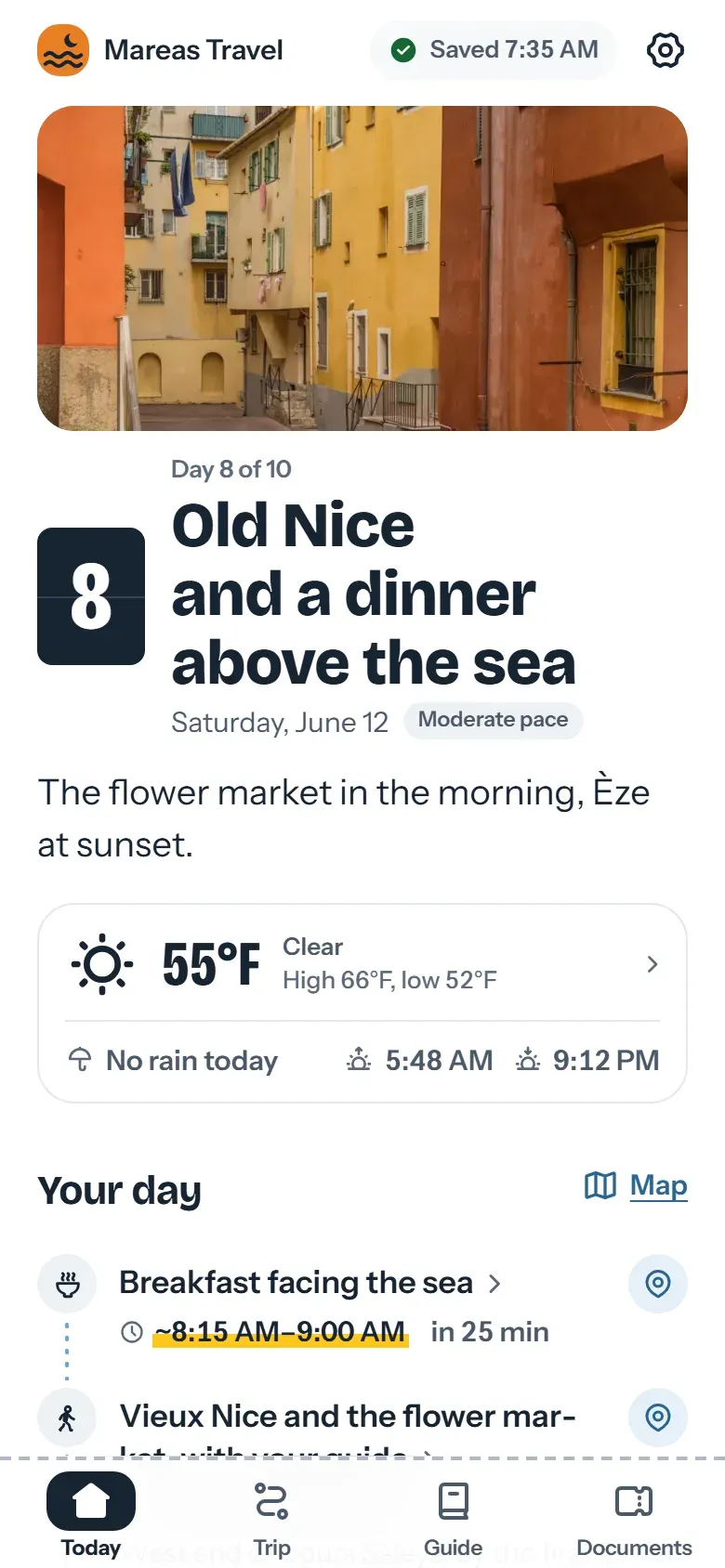
    • The result. The phone at the top of this page shows a fictional ten-day couple’s trip through Paris, Provence, Nice and Monaco, with a chef’s table, a private boat on the Seine and a driver at every transfer. The example app, a fictional trip to Japan, opens on your phone with no account.
    • Your own honeymoon. You can draft, preview and import up to 20 documents a month with no card and no plan. Only publishing needs a plan.
    • Where the data is. The database and files are stored in the EU. The app has no ads or trackers.
    • Leaving. The agency owner can export the agency’s data as a ZIP file from the agency settings.

    Questions fréquentes

    Does Viaondo book restaurants?
    No. You book with the restaurant or your usual supplier. Viaondo holds the booking in the trip, with the time, the place and the notes you write for the couple.
    Link to this answer
    Can a honeymoon have its own look?
    Yes. Each trip uses the agency’s colors or its own. Your logo and contact details stay the same.
    Link to this answer
    Do they need to download an app?
    No. Each partner opens a private link in the browser and can add the trip to the home screen. There’s nothing to download from an app store.
    Link to this answer
    What does it cost?
    US$50/month per agency, plus VAT where it applies, or US$500/year with two months free, with unlimited trips and travelers and your team included (fair use). There’s no setup fee.
    Link to this answer

    Qui fait Viaondo, et comment nous vérifions

    Qui le construit

    Pablo Bravo construit Viaondo en Espagne et répond lui-même aux e-mails du support.

    À propos de Viaondo

    Où sont les données

    La base de données et les fichiers sont stockés dans l’Union européenne, avec un accord de traitement des données. Les billets et bons sont supprimés 30 jours après la fin du voyage.

    Accord de traitement des donnéesSous-traitants

    Comment nous vérifions les autres outils

    Les prix et fonctions des autres outils viennent de leurs propres pages, et chaque comparatif indique la date de vérification. Dernière vérification : 5 novembre 2026.

    Prix des logiciels pour agences de voyage, côte à côte

    Ce qui est sorti

    Chaque mise à jour du produit est datée et expliquée simplement. La dernière : 4 novembre 2026.

    Nouveautés de Viaondo

    Try it with your next honeymoon

    Import the confirmations of a real honeymoon and open the draft on your phone. Drafting and previewing need no card. Publishing starts the 14-day trial, which takes a card and charges nothing until day 15. Or open the example app first.