Aller au contenu
viaondo
viaondo

Cette page n’est pas encore disponible en français. En attendant, elle s’affiche en anglais.

Booking import

From the booking PDF to the itinerary, without retyping.

Upload the confirmation as you received it and Viaondo suggests each booking with its local time and the excerpt of the document it comes from. You review, correct and decide what gets added.
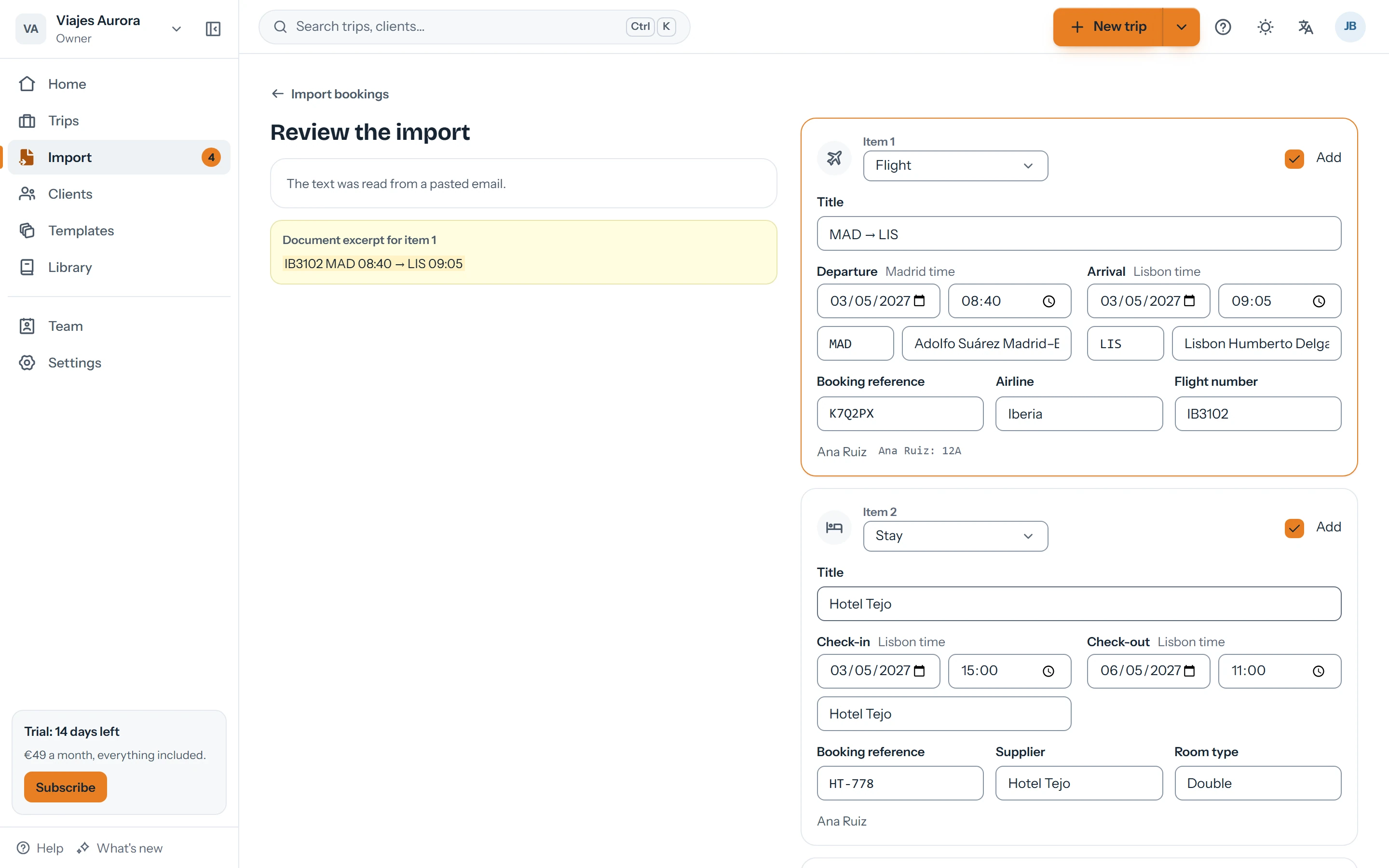
Import review: a flight and a hotel suggested from an email, with editable fields
Review and correct before adding

Copying confirmations is the job nobody wants

  • Every trip means dozens of times, booking references and addresses to type in by hand.
  • A mistake copying a time or an airport shows up on the day of travel.
  • Suppliers send PDFs, screenshots and emails, each in its own format.

How the import works

  1. Upload or paste

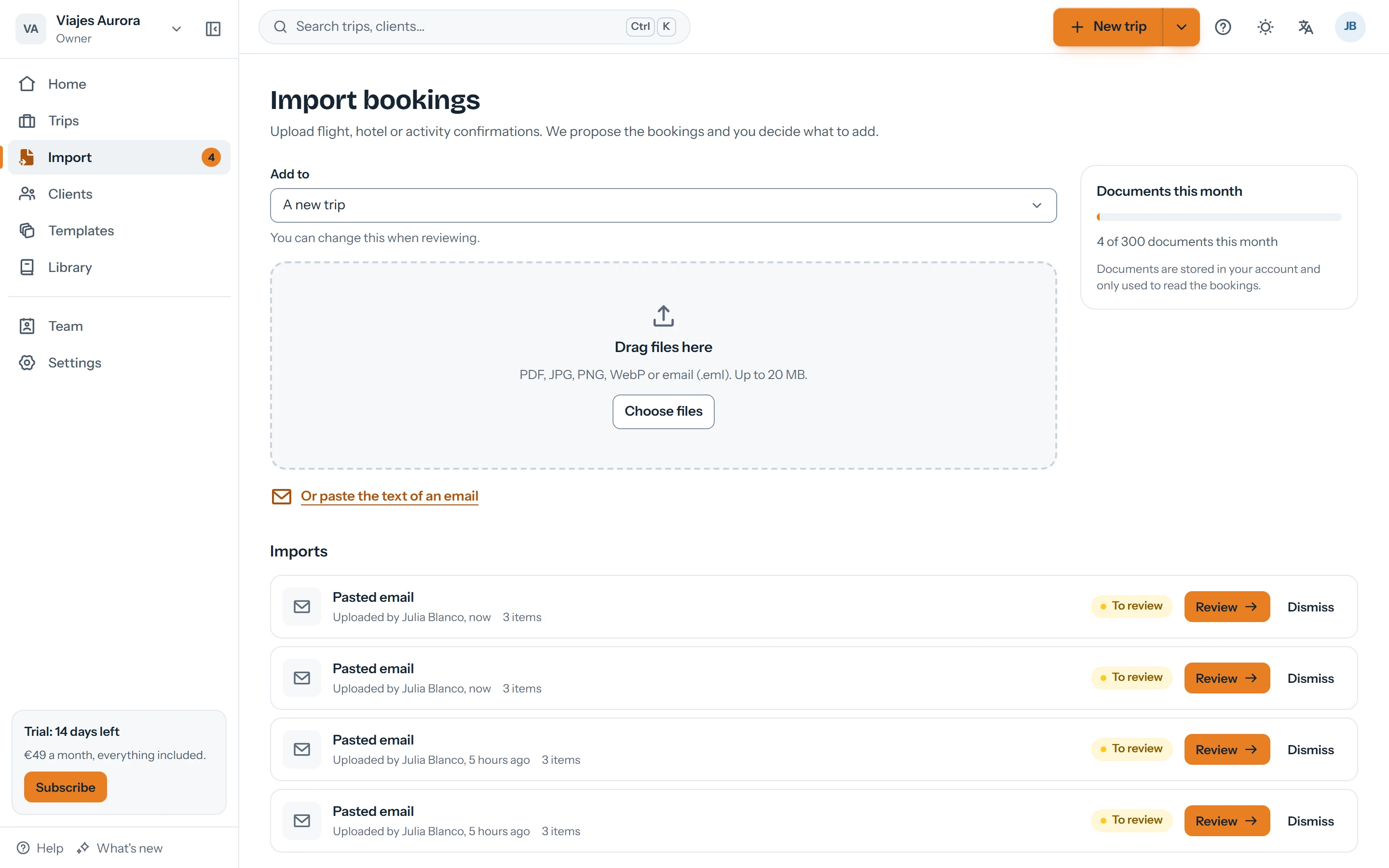
    A PDF, an image or screenshot, or the text of the confirmation email. Also from the imports inbox.

  2. Review each suggestion

    Viaondo suggests flights, hotels, trains, transfers and activities, flags uncertain details and shows where each one comes from.

  3. Apply it to a trip

    Add what you accepted to an existing trip or create a new one. The original document is kept as a trip document.

From the booking PDF to the itinerary, without retyping.

What you can import

Confirmations from airlines, hotels, trains, transfers and activities, in whatever format they arrive.

  • PDF, PNG, JPG or WebP images and pasted email text
  • Up to 20 MB per file
  • Several legs and bookings in a single document

You have the last word

Nothing is added or published without your review. Each suggestion comes with the excerpt that supports it, and uncertain fields are flagged for you to check.
  • Local times exactly as they appear on the booking
  • Traveler names matched to your clients
  • Accept, correct or discard each item
Imports inbox with documents read and waiting for review

Clear limits

The plan includes up to 300 imported documents per agency per month, a fair amount for daily work. If you need more, write to us.

  • This month's count is always visible
  • If a document can't be read, we tell you and you can try again

Privacy

The document is sent to the AI provider only to extract the booking details. You'll find it in the list of sub-processors and in the data processing agreement.

  • The file is kept in your agency's private storage
  • Recommendation: don't upload sensitive data the trip doesn't need

Questions about the import

Does the AI publish anything on its own?
No. The import only suggests. You review each item and decide what gets added; publishing the trip is still up to you.
What if it gets something wrong?
You correct the field before adding it. Each suggestion shows the excerpt of the document it comes from, so checking it is quick.
How many documents can I import?
Up to 300 per agency per month within the €49/month + VAT plan.
Can I import a forwarded email?
Yes: copy the text of the confirmation email and paste it into the import.

Import your first booking today

14 days free, no card. Upload a real confirmation and see what it suggests.