Travel documents offline: what clients need on their phone abroad
Which documents clients should keep offline on their phone, how boarding passes work without data, passport copies and privacy, 112, and a checklist.

Short answer: assume the client will have no data at the worst moment, and put on the phone, saved for offline use, everything they would need to show or read there: boarding passes and tickets, hotel vouchers with the local address, transfer details, the insurance policy and its assistance number, visa approvals, the agency’s contact and each country’s emergency numbers. Add a passport copy only behind the phone’s lock, and delete it after the trip.
Most clients travel with a phone and expect everything to be on it. The phone is fine; the connection is what fails. The arrival hall where the roaming SIM has not registered yet, the ferry in open water, the national park with no coverage, the client who switched data off to avoid a bill. This guide covers where data runs out, which documents to keep offline, how airlines handle boarding passes without a connection, the privacy side of passport copies, emergency numbers and a checklist your agency can use for every trip.
Why can’t clients count on mobile data abroad?
Because roaming at home prices only covers part of the map, and even there the signal comes and goes. The European Commission says “Roam like at home” applies in the 27 EU countries plus Iceland, Liechtenstein, Norway, Ukraine and Moldova, not in the UK by right, and not on the satellite connections of planes and ships, which “usually have high surcharges” (Commission, roaming, updated 13 July 2026). Outside the EU and EEA, the EU’s Your Europe roaming page warns that data roaming “can be expensive”.
Add the ferry crossing, the mountain valley, the phone that has not found a network yet after landing and the client who switched roaming off to be safe. The rule for an agency follows: what a client needs in the first hour after landing, or anywhere without signal, has to be saved on the phone before departure. The rest of this guide is about what that means, document by document.
If you are still deciding how to send the trip at all, our comparison of PDF, link and app looks at what each one does offline.
Which documents should clients keep offline on their phone?
The list below covers what a client may have to show or read with no connection. “Saved offline” means a copy stored on the phone, not a link to an email, a cloud folder or a web page that needs data to open.
| Document | Why it matters offline | How to keep it | Backup |
|---|---|---|---|
| Boarding passes and e-tickets (air, rail, ferry) | Shown at security, the gate or on board | Airline app or phone wallet, saved after check-in | Paper, or a screenshot where the carrier accepts it |
| Hotel vouchers and addresses | Check-in, and the taxi from the airport | Saved PDF, with the address in the local script | Printed page with the address |
| Transfer details | Meeting point, driver’s name and phone | Saved in the trip, with the local time | Agency’s phone number |
| Travel insurance policy and assistance number | Hospital, theft, canceled flight | Saved PDF of the policy and the 24-hour number | Printed copy, as the UK Foreign Office advises |
| Visa approvals or travel authorizations | Some airlines check them before boarding | Saved PDF or screenshot of the approval | Printed copy |
| Passport copy (photo page) | Loss or theft of the passport | Behind the phone’s lock, see below | Copy left with someone at home |
| Agency and supplier contacts | Anything that goes wrong | Saved in the trip and in the phone’s contacts | Printed on the trip’s first page |
| Emergency numbers of each country | When the phone has no data but can still call | Saved in the trip | Written down |
The UK government’s foreign travel checklist, updated 5 June 2026, makes the same point from the traveler’s side: have a backup plan for accommodation details, flight details, passport details, contact numbers and the insurance policy “in case you lose your phone”, and print out health insurance documents. A phone is a single point of failure. The best setup is the documents saved on the phone and a short paper backup in the bag.
How do boarding passes work without a connection?
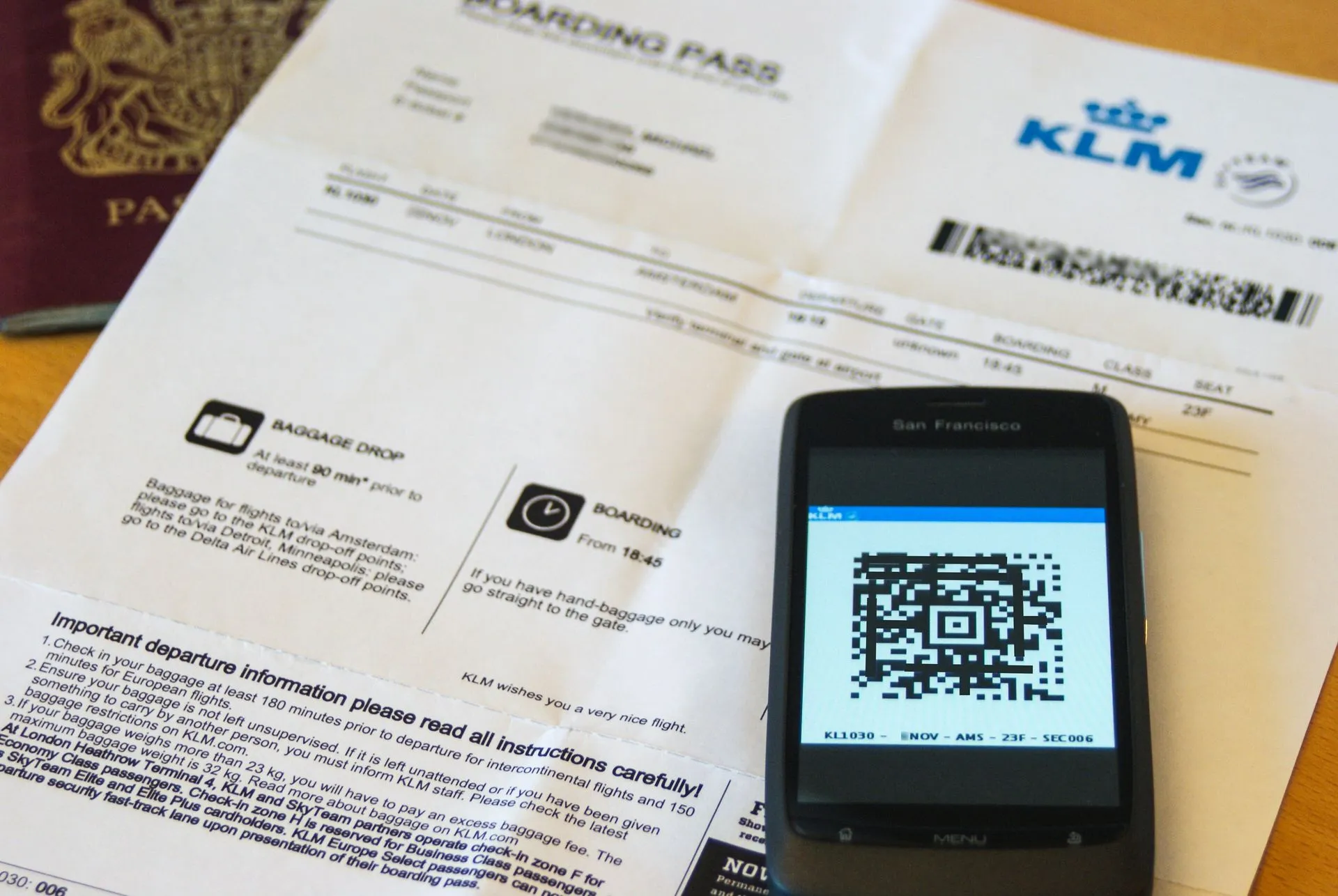
The barcode carries the data. IATA’s Resolution 792 sets the standard for the bar coded boarding pass, a two-dimensional barcode that conveys the boarding pass data “on a wide range of devices (paper and mobile)” (IATA, common use). A scanner at security reads the code itself, so what matters is that the code is on the screen, not that the phone is online.
What the airlines and wallets say, as of 15 October 2026:
- Emirates says that to open the boarding pass from its email link, “you will need to be connected to the internet”, but that a screenshot of the mobile boarding pass “can be scanned at the airport as normal at any stage of your journey, without an active internet connection”, and that a pass saved to the iPhone Wallet works without a connection. It also says mobile boarding passes work at selected airports (Emirates help).
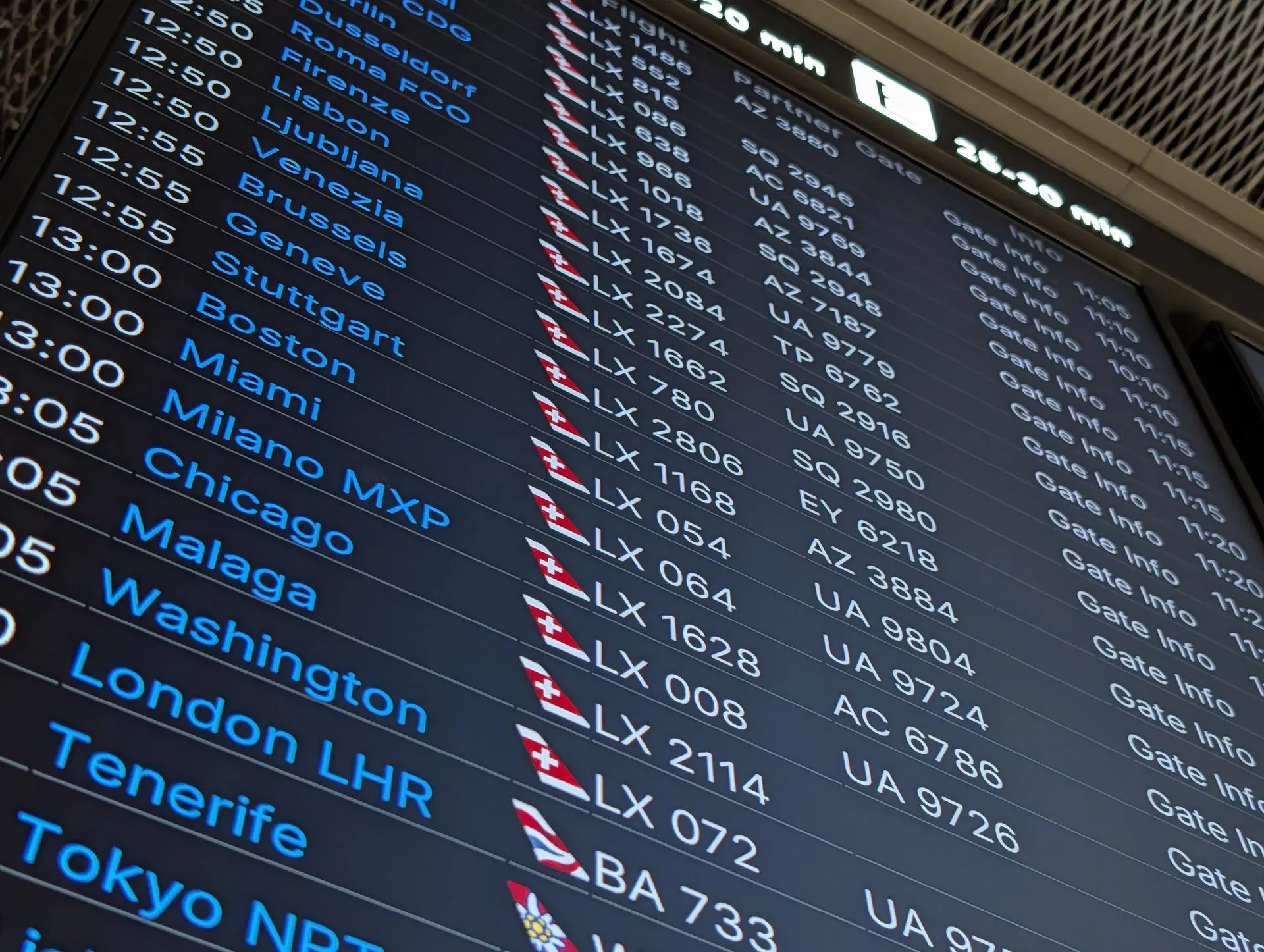
- Google Wallet says a saved boarding pass does not need an internet connection, while adding one from a screenshot does (Google Wallet Help). The same page says supported passes show real-time updates such as gate changes, which need data, so clients should still check the airport screens.
- Ryanair moved to digital boarding passes in its app from 12 November 2025 and no longer lets passengers print their own (Ryanair, 24 September 2025). On the first day, it reported that over 98% of passengers presented a digital pass and the rest, who had checked in online, received paper passes free at airport desks (Ryanair, 12 November 2025).
The practical rule for clients: check in online while they still have a connection, open the boarding pass once, save it to the airline app or the phone’s wallet, and keep the phone charged. A screenshot is a good backup where the airline accepts it, but each airline sets its own rules, so check them for every carrier on the trip.
Should clients keep a passport copy on their phone?
A copy is useful and sensitive at the same time. If the passport is lost or stolen, a copy of the photo page speeds up the report to the police and the application for an emergency document. The EU’s consular protection page says an EU citizen who loses their travel documents outside the EU, in a country where their own country has no embassy or consulate, can turn to another EU country’s embassy and will be issued an EU Emergency Travel Document to return home.
The same copy, in the wrong place, is a gift to an identity thief. Tell clients:
- Keep the copy in the phone’s protected storage or a secure folder behind the phone’s lock, not in a chat thread, a shared album or an unlocked email.
- Leave a second copy with someone at home who can send it if the phone is lost too.
- Delete it after the trip. A passport copy has no use between trips.
The same principle applies to your agency. A passport scan you send by chat sits on several devices you do not control. Our guide to client passports in itinerary software covers what the GDPR asks of an agency that holds them, and how long to keep them.
Which emergency numbers and health documents should be on the phone?
In the EU, one number covers everything. The European Commission says 112 is “available everywhere in the EU, free of charge”, from fixed and mobile phones, for ambulance, fire brigade or police, and that operators in many countries can answer in English or French as well as the national language (Commission, 112, updated 23 June 2026). The Commission’s roaming page adds that phones should receive a message on arrival in another EU country reminding the traveler of 112 and of alternatives for people who cannot make a voice call.
Outside the EU, numbers differ. The Commission says 112 is also used in some countries outside the EU, such as Switzerland and South Africa. For every other destination, write the local police, ambulance and fire numbers into the trip, next to the address of the hotel, so they can be read with no data.
For health cover inside Europe, the EU says clients should take their European Health Insurance Card on every trip (Your Europe, health cover for temporary stays), but that it only covers care from public providers and does not cover rescue and repatriation, for which separate insurance is needed. Put the policy number and the insurer’s 24-hour assistance line on the phone, saved offline, and on paper.
How does Viaondo keep travel documents offline?
We make Viaondo, so this is the one section about our own product. The Viaondo traveler app saves the whole trip on the client’s phone the first time they open their private link with a connection: the itinerary, hotel addresses in the local script, boarding passes, vouchers, insurance and the other documents you attach, plus each city’s guide with its emergency numbers. Before it says the trip is ready offline, the app checks every saved file against its expected size and SHA-256 fingerprint, so a half-downloaded voucher never passes as saved, and it shows a “Saved” mark with the time.
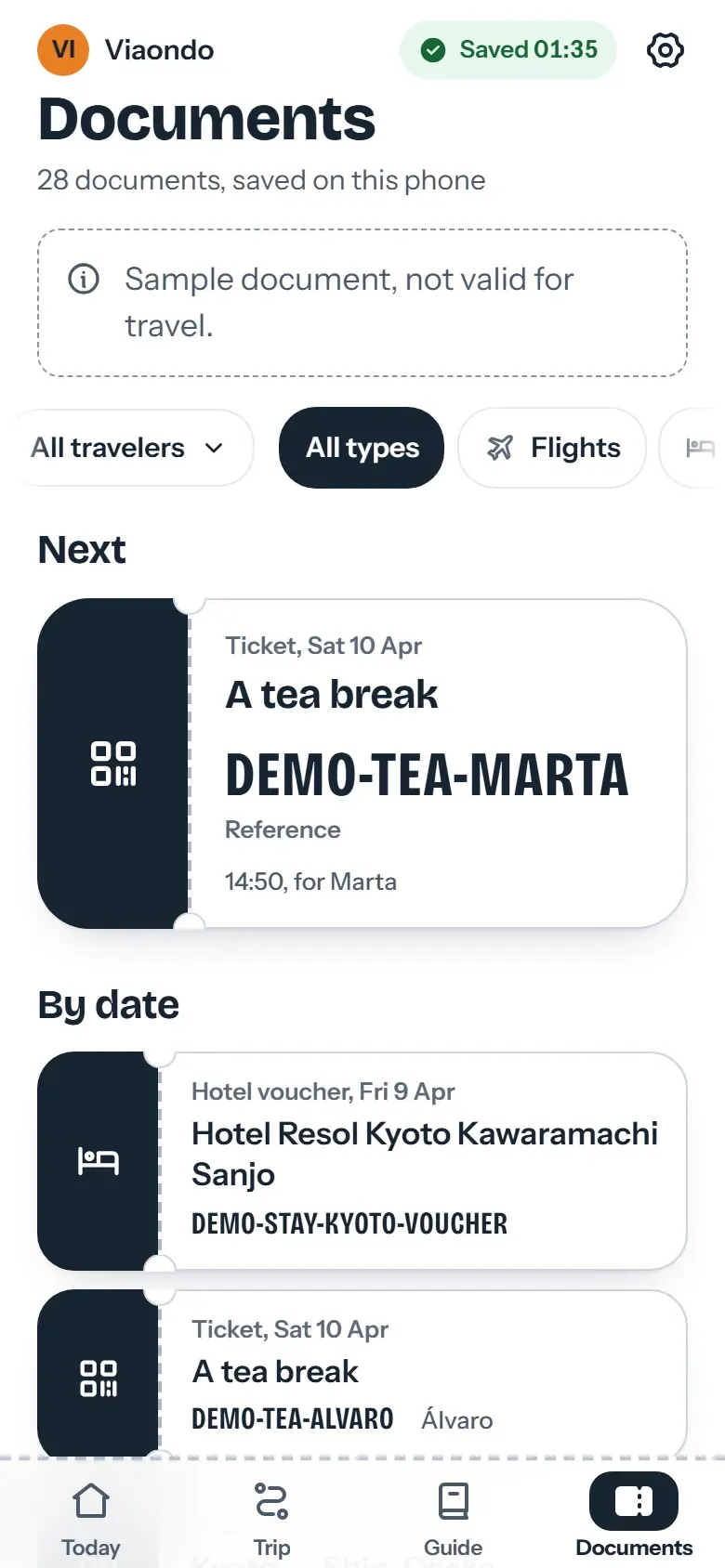
The limits, so you can tell clients the truth: the first open needs a connection, the street map and new versions of the trip need data, and a trip larger than 25 MB asks before saving. The phone’s browser can remove stored data under storage pressure, and Safari clears a site’s storage after about a week without a visit; from three days before departure the app re-checks the copy and saves it again while online, and on an iPhone adding the trip to the home screen keeps the copy. Trip documents are deleted 30 days after the trip ends. A boarding pass that the airline only issues in its own app stays in that app.
Checklist: offline documents before every trip
- Before departure, list every document the client will show: boarding passes, tickets, vouchers, insurance, visa approvals.
- Check which carriers require their own app for the boarding pass, and tell clients to check in online and save the pass while they still have a connection.
- Put hotel addresses in the local script, and transfer meeting points with the local time, in the trip.
- Add the insurance policy number and 24-hour assistance line, and remind EU clients to pack their EHIC as well, not instead.
- Write the emergency numbers of each country into the trip: 112 in the EU, the local numbers elsewhere.
- Ask the client to open the trip once at home, on Wi-Fi, and to check that everything shows with data switched off.
- Tell clients where roaming at home prices stops: outside the EU area, in the UK unless their operator says otherwise, and on satellite connections on board.
- Advise a passport copy behind the phone’s lock, a second copy at home, and deleting it after the trip.
- Suggest one short paper backup: the first hotel’s address, the agency’s phone and the insurance number.
- After the trip, delete the copies of documents you no longer need, on your side too.
What should an agency not promise about offline documents?
- Do not promise that a screenshot will be accepted. Each airline and airport decides.
- Do not promise roaming at home prices outside the EU area. The client’s operator sets those prices.
- Do not present a phone copy of a passport as a replacement for the passport. It is a backup for a report, not a travel document.
- Do not say the trip “works offline” until the client has opened it once with a connection and you know it was saved.
How this guide was checked. Every fact links to an official source: the European Commission and the EU’s Your Europe pages, GOV.UK, IATA, and the airlines’ and Google’s own help pages and press releases, all opened on 15 October 2026. The Viaondo section describes the product as it works on that date. This is practical guidance for agencies, not legal or medical advice.
To compare how itinerary tools handle documents and offline access, see our guide to itinerary software for travel agencies.
Sources
- European Commission: Roaming, Roam like at home (last updated 13 July 2026) (accessed 15 October 2026)
- Your Europe (EU): Roaming, using a mobile phone abroad (last checked 7 January 2026) (accessed 15 October 2026)
- European Commission: 112, the EU’s emergency phone number (last updated 23 June 2026) (accessed 15 October 2026)
- IATA: Common Use, Resolution 792 Bar Coded Boarding Pass (BCBP) (accessed 15 October 2026)
- Emirates help: What is a mobile boarding pass? (accessed 15 October 2026)
- Google Wallet Help: Save and use flight or event tickets (accessed 15 October 2026)
- Ryanair: Ryanair confirms Wed Nov 12th launch for 100% digital boarding passes (24 September 2025) (accessed 15 October 2026)
- Ryanair: Day one of digital boarding passes, huge success (12 November 2025) (accessed 15 October 2026)
- GOV.UK (FCDO): Foreign travel checklist (last updated 5 June 2026) (accessed 15 October 2026)
- Your Europe (EU): Health cover for temporary stays and the EHIC (last checked 16 September 2026) (accessed 15 October 2026)
- Your Europe (EU): Consular protection outside the EU (last checked 2 February 2026) (accessed 15 October 2026)