Tour operators
One itinerary for every departure, on each traveler’s phone.
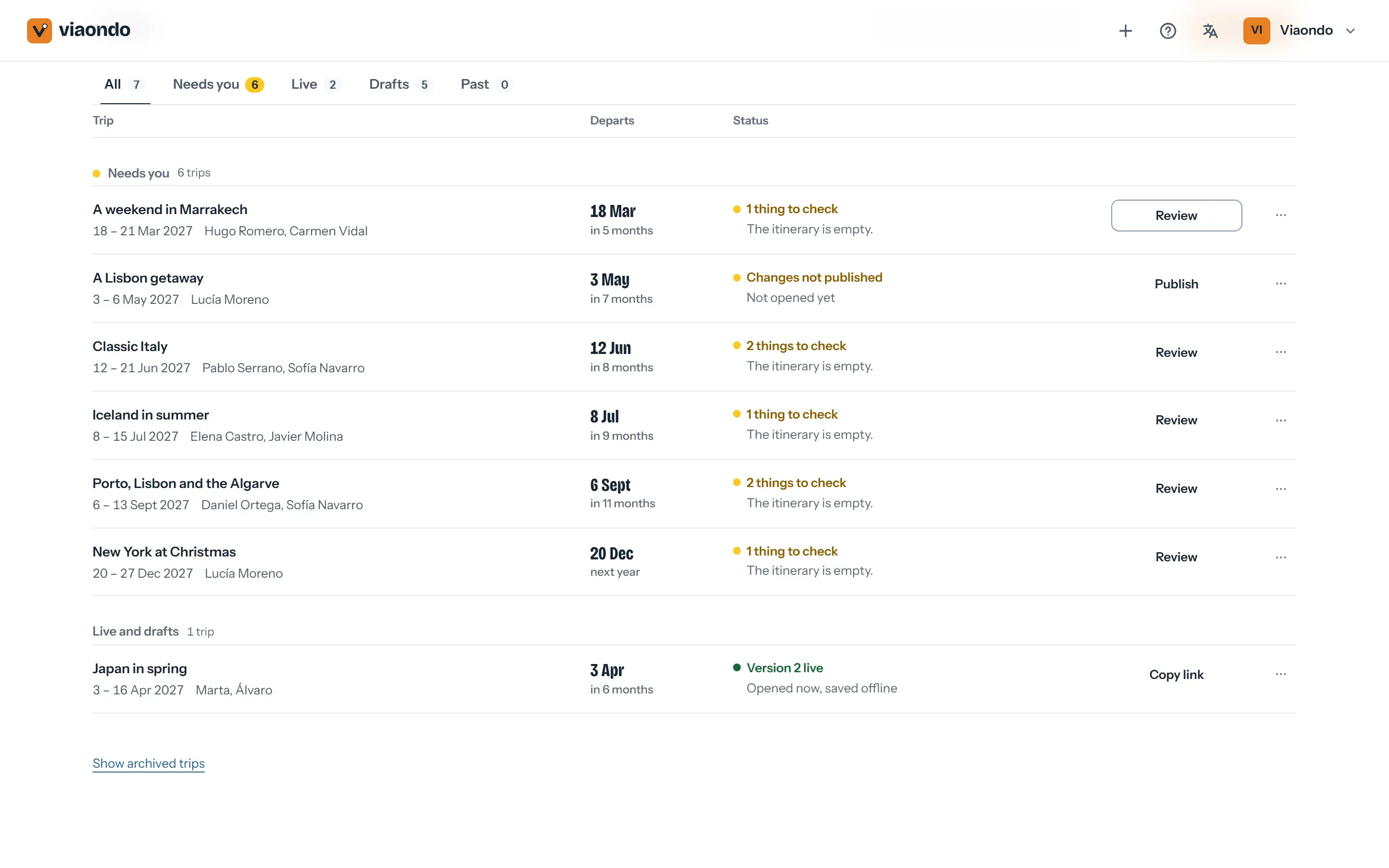
Duplicate a program for each new departure, its dates shifted, and deliver it as a trip app with your brand. When something changes at the last minute, you publish one update and every traveler sees it.
Where a tour operator’s paperwork breaks down
- Every departure means copying the program again and shifting dates by hand. One missed time goes out to the whole group.
- The final documents go out as a long PDF that travelers don’t open until they’re lost at the airport.
- A changed hotel or pick-up time means re-sending documents to everyone and answering the same questions on WhatsApp.
- Travelers abroad have no data, so anything that needs a connection fails at the airport or on the transfer.
How Viaondo fits a tour operator’s workflow
From the program you sell again and again to the change that has to reach the whole coach.
-
One program, every departure
Duplicate a program for the next departure and its dates shift to the new day. Its places, recommendations and destination guides come with it.
-
Your brand on every departure
Your logo, color, contact details, WhatsApp button and review link appear in every trip app, set up once.
-
Works without data
After the first opening with a connection, the itinerary, addresses and documents are saved on the phone and checked before the app says they’re ready.
-
Publish a change once
Publish a new version and each traveler sees what changed, before and after, with an optional email in their language.
-
Supplier confirmations without retyping
Upload the PDFs, screenshots or emails from your suppliers: the flights, hotels, transfers and activities go into your draft, each linked to its document.
-
Group and personal links
Share one link for the whole group or a personal one per traveler, with their own documents and seats.
What a departure looks like in Viaondo
-
Start from the program
Duplicate the program and pick the departure date: the whole itinerary shifts to it.
-
Add the departure’s details
Import the flight and hotel confirmations or type them in. Each time is stored in its airport’s or city’s time zone, and Viaondo rejects times that don’t exist because of a daylight-saving change.
-
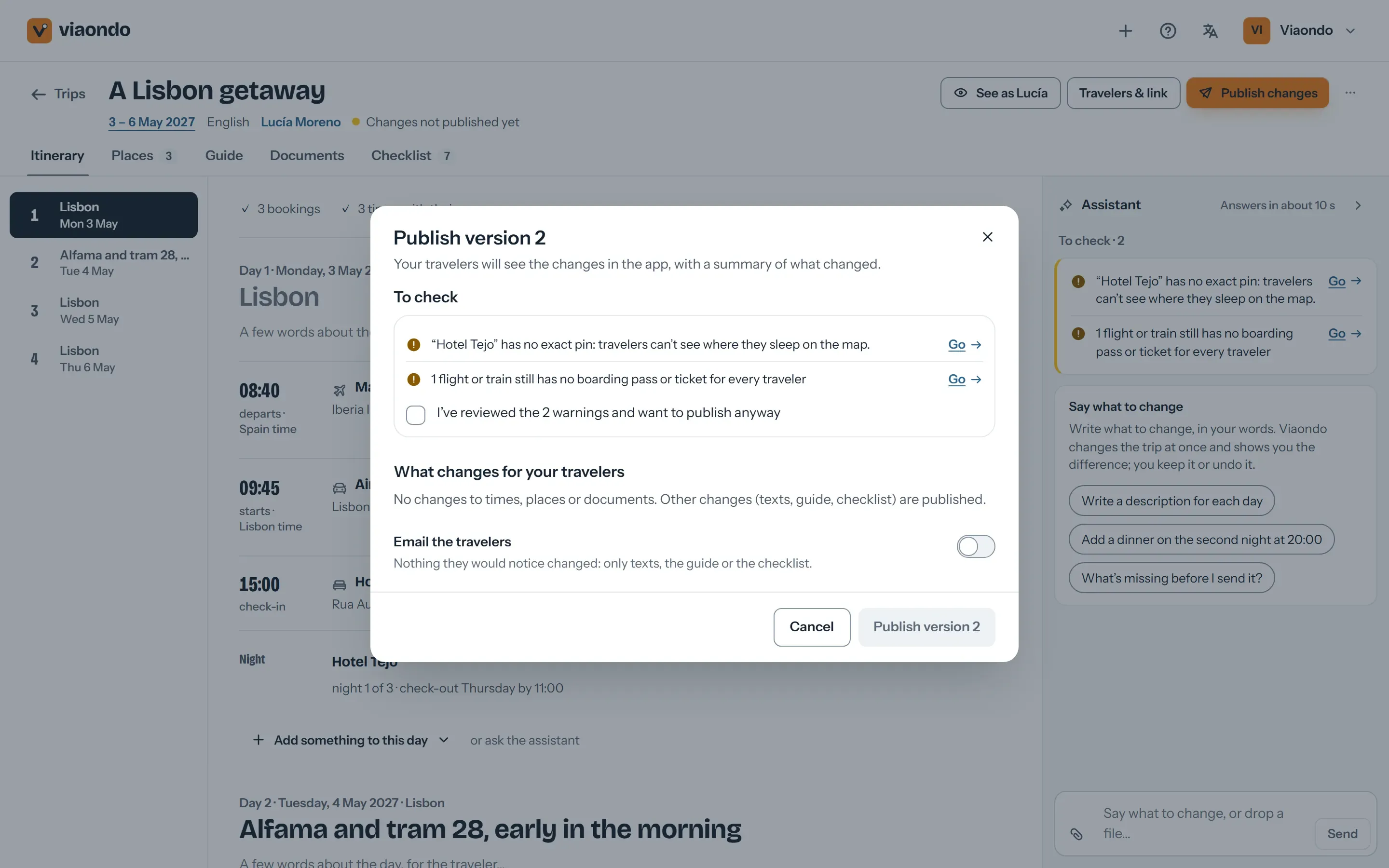
Run the Trip Check
Viaondo flags missing documents, empty booking references and overlapping times.
-
Publish and share
Send the group link, or a personal link per traveler, by WhatsApp, email or QR code at the pre-departure meeting.
Each published version is kept, so you can see what every traveler received and when.
What to know before you use it for departures
What Viaondo does
- Builds each departure from your program
- Delivers it as a branded app for each traveler
- Keeps it working offline and up to date
What Viaondo doesn’t do
- Booking system and back office
- Inventory and allotments
- Supplier contracts and payments
- An App Store or Google Play app: the traveler app is a web app with your brand
What tour operators use today
Operators usually deliver departures from an operations platform, a content platform or a PDF. Where each one fits:
-
Wetu
Built for operators and DMCs who put together proposals from a shared library of supplier content, with the TravelKey app for travelers. If your sales run on Wetu content, it’s the better fit; Viaondo delivers departures you’ve already sold, at a flat price.
Viaondo vs Wetu -
Safari Portal
One platform to design, sell, invoice and deliver trips, with a traveler app. If you want all of that in one system, look at it; Viaondo covers only building and delivering the trip.
Viaondo vs Safari Portal -
PDF and WhatsApp
Fine for one simple departure. With a full coach, each change means a new PDF for everyone, and nobody can open the email without data abroad.
Viaondo vs PDF and WhatsApp
Frequently asked questions
Can I reuse a program for many departures?
Does each traveler need an account or an app from the store?
What does it cost for a team?
Does Viaondo handle bookings, payments or allotments?
Where do the travelers’ passport copies go?
Viaondo for other agencies
Try it with a real departure
Start the 14-day free trial, import the confirmations of your next departure and open the result on your phone. If you’d rather see a finished trip first, open the example app.