Group travel
One trip app for the whole group, with each traveler’s own documents.
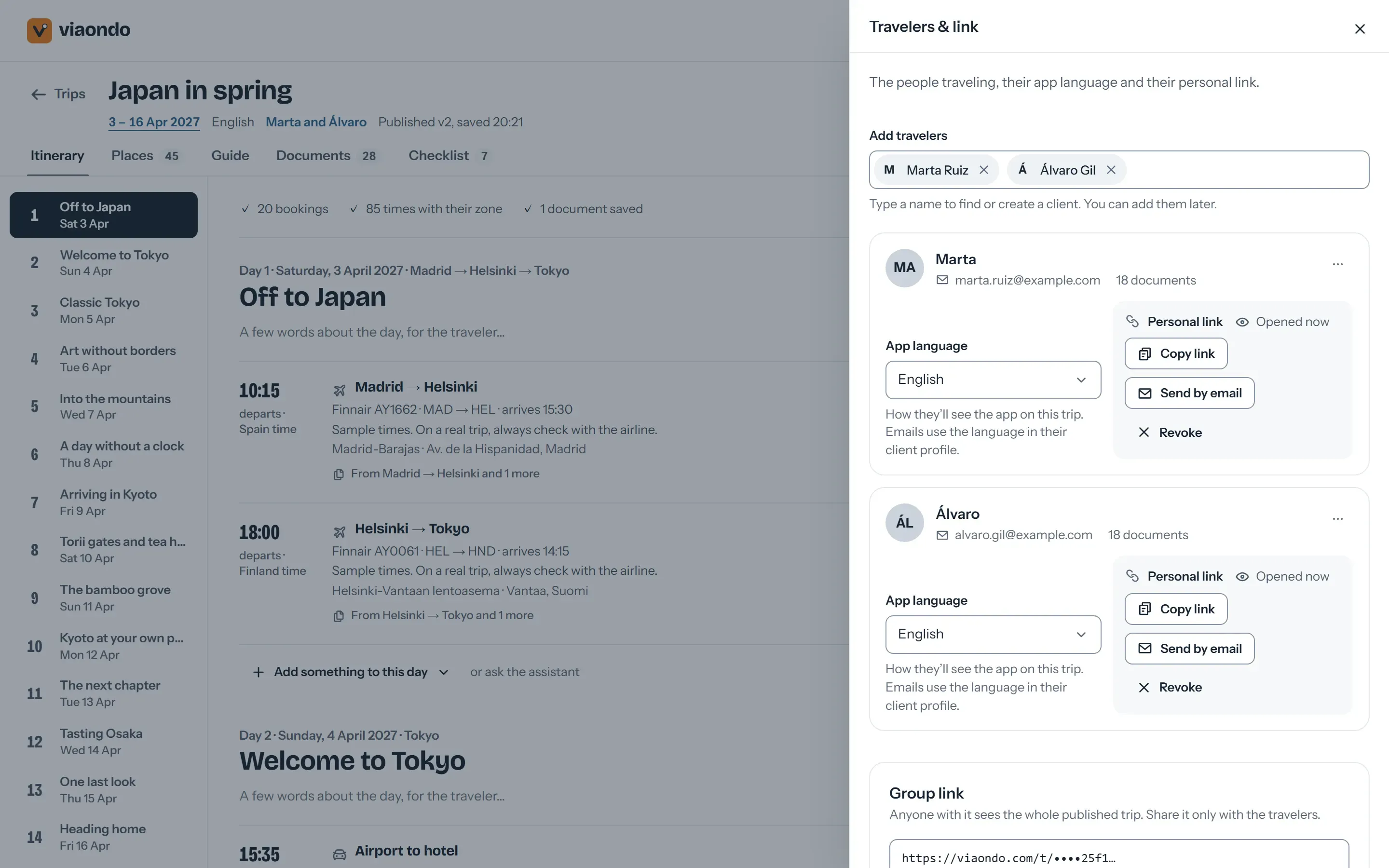
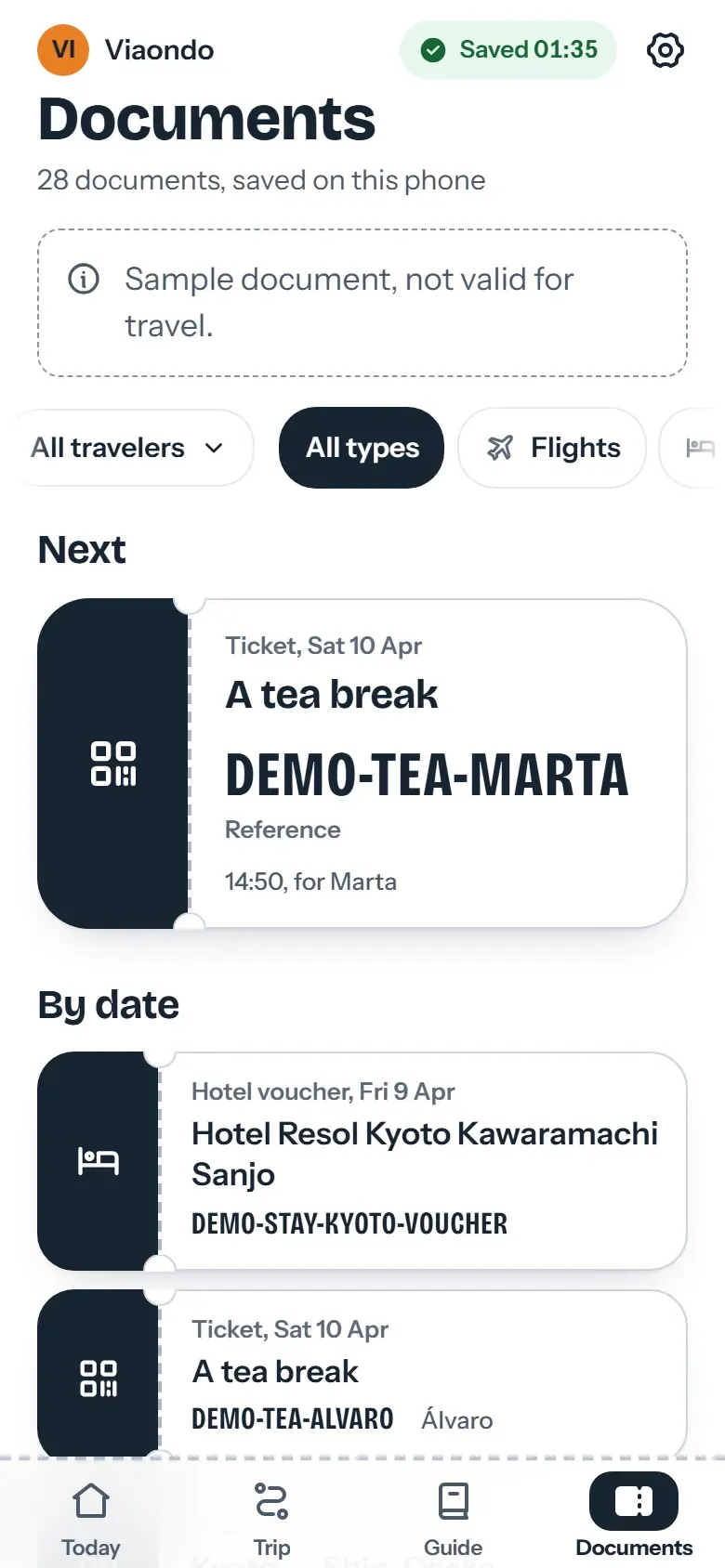
Forty people each need their own documents, and one change has to reach all of them. Viaondo gives the group one trip app and gives each traveler their own documents and seats.
Why group trips are hard to keep in order
- The WhatsApp group ends up serving as itinerary and help desk, and important messages get lost in it.
- Tickets, vouchers and seat numbers are personal, but they end up in one shared PDF for everyone.
- A change to the meeting point has to reach every traveler, and you can’t tell who saw it.
- Group leaders ask you for the plan in a format they can check without data abroad.
What Viaondo gives a group
For school trips, incentives, pilgrimages, clubs and family celebrations: one trip, every phone in the group.
-
One group link or one per traveler
Share the whole trip with a single link, or send each traveler a personal link that shows what’s shared plus their own documents and seats.
-
Changes everyone sees
When you publish a new version, the app shows each traveler what changed, before and after, and can send an email in each traveler’s language.
-
Meeting points and local times
Transfers carry their meeting point and time, and every time is shown in the local time zone of its place, with the zone’s name.
-
Offline for the whole group
Each phone saves the trip the first time it opens with a connection, and the app checks the copy is complete before saying it’s ready.
-
Each traveler in their language
The app works in ten languages, so mixed groups read the interface in their own. You write the trip content once.
-
Unlimited travelers
The plan includes unlimited trips and travelers for US$50/month per agency, plus VAT where it applies, so a group of fifty costs the same as a couple.
How a group trip goes out
-
Build the trip once
Add the flights, transfers, hotels and activities to a single trip.
-
Add each traveler and their documents
Attach each traveler’s personal documents: boarding passes, tickets, insurance. For a group entering Europe, read what the EES means for groups before departure.
-
Choose how to share
The group link goes to the group leader or into the chat, and anyone with it sees the shared itinerary. Personal links go to each traveler, who sees the same itinerary plus their own documents and seats, and nobody else’s.
-
Publish a change
When a time changes, you edit it and publish. Every traveler’s app shows the change and, if you tick it, an email goes out in each traveler’s language.
What to know before you use it for groups
What Viaondo does
- Gives the group one trip app
- Gives each traveler their own documents and seats
- Shows each traveler what changed when you publish
What Viaondo doesn’t do
- Registrations and payments
- Rooming lists
- The group chat
- An App Store or Google Play app: travelers open a web app from a link
Emails sent on publish are capped per traveler and per agency each day, so for very large groups share the link in person or by QR code as well.
What group organizers use today
Most groups run on a PDF and a chat, and some agencies hand out an app. How each one holds up for a group:
-
PDF and WhatsApp
Free and familiar, and the chat is still the best place to talk. But one shared PDF puts everyone’s tickets in one file, and each change means a new PDF and a message that gets lost in the thread.
Viaondo vs PDF and WhatsApp -
Vamoos
A store app with in-app messaging and flight alerts. Every traveler has to download it first; Viaondo opens from a link, which is easier to get forty people onto.
Viaondo vs Vamoos -
TripIt
Good for people who organize their own travel, but each traveler keeps their own account and forwards their own emails, so the group never gets one plan from you.
Viaondo vs TripIt
Frequently asked questions
Do travelers see each other’s documents?
Can I revoke a traveler’s access?
Is there a limit on group size?
Does it replace the group chat?
Viaondo for other agencies
Try it with your next group
Start the 14-day free trial and build one group trip with a few test travelers, or open the example app to see what each traveler receives.