What works about PDF and WhatsApp?
A PDF on WhatsApp has real advantages:
- It costs nothing. You make it with what you already have: a word processor and your phone.
- Everyone knows how to use it. Your client doesn’t have to learn or install anything.
- It prints. Some travelers want the itinerary on paper, and a PDF prints as it is.
- It works offline, if it was downloaded. A PDF saved on the phone opens on a plane or in a country without data.
- It feels personal. You already talk to your clients on WhatsApp, and you’ll want to keep that closeness.
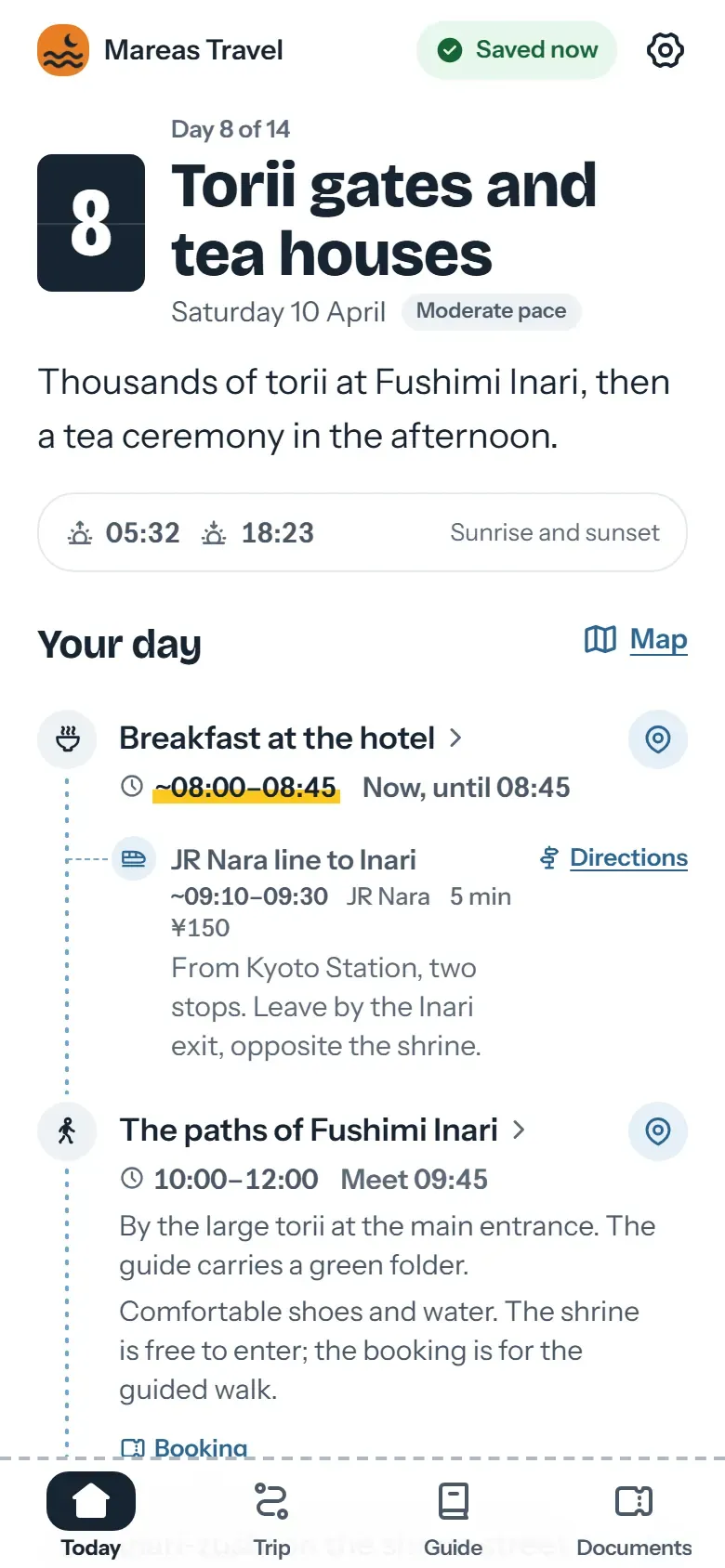
With Viaondo you keep using WhatsApp. You send a link to the trip app instead of a file.
Where does it fall short?
Every change is a new PDF
If a flight time changes, you redo the document and send it again. The chat ends up with Tuesday’s version, Thursday’s and the final one, and your client can’t tell which one is valid. In Viaondo you publish a new version, and the app shows the traveler each change with the old and new details. They can also get an email notice in their language.
You type every time
On a trip across several time zones, each time in the PDF depends on you typing it right, and nothing checks whether it falls on a daylight-saving change. Viaondo shows every time in the local time zone of its place, with the zone name. If a time falls in the hour the clocks skip or repeat for daylight saving, the dashboard won’t accept it.
Documents get lost in the chat
Boarding passes, vouchers and insurance end up spread across messages and forwards. In Viaondo’s Documents tab they’re together, and travelers can filter them by traveler and type. With personal links, each traveler sees the shared items plus their own documents and seats.
You don’t know if they saved it
Blue ticks tell you the client read the message. They don’t tell you whether they downloaded the PDF. Viaondo shows you whether the trip was opened, whether it was saved offline and which documents were viewed. With the group link, that data is anonymous; with personal links, it carries the traveler’s name.
The hotel address, in the driver’s language
A PDF shows the address as you copied it. On Viaondo’s stay page, the “Show the driver” button displays the address in the local script, and the traveler can copy it or open it in Maps.
When does it make sense to move to an app?
A weekend break with one hotel and one train works fine as a PDF. An app pays off when:
- The trip has several flights, transfers or time zones.
- Groups or families travel, and each person has their own documents and seats.
- It’s a special trip, like a honeymoon, where every detail shows.
- Your clients will be without data or with poor coverage.
- You handle quite a few trips a month and redoing PDFs eats up hours.
- You want your brand, your contact details and your review link on the client’s phone for the whole trip.
To see it with a concrete example, open the example app: “Japan at your own pace”, a fictional trip from a fictional agency.
How do you get started?
- Create your account and start the 14-day free trial: nothing is charged until day 15.
- Set up your brand: logo, color, contact details, WhatsApp button and review link. We explain it in branding.
- Upload the PDFs, screenshots or confirmation emails of your next trip. Booking import puts each flight, hotel or transfer into the draft with its local time and the document it came from, and lists anything uncertain under To confirm.
- Check the trip in the preview, which is the real traveler app, and publish it.
- Send the link on WhatsApp, as you do now. Your client opens it and can add it to the home screen, and from then on the trip works offline.
The price is US$50/month per agency, plus VAT where it applies, or US$500/year, with no setup fee. You’ll find all the details on pricing.