Skip to content Founding price: US$50€45£40 a month for as long as you stay Ends 31 December 2026 Start free →

Esta página también está en español.

Ver en español

Rail journeys

A rail trip app with every coach, seat and ticket on the phone.

Viaondo is the software a small agency selling rail trips uses after the sale. Import the train tickets and hotel confirmations and deliver the trip as a branded app, with each train’s coach and seats, each traveler’s tickets saved on the phone and every time in local time. It costs US$50 a month per agency plus VAT. It doesn’t sell tickets.

  • EU-based
  • Hosted in the EU
  • GDPR-aligned
Import in the Viaondo dashboard with the bookings read from a confirmation PDF
See the example app

Try it on a trip you’ve sold, no account

Describe a trip or drop up to 3 confirmations, and Viaondo emails you its app, usually in 5 to 15 minutes.

    or drop them on this box

    The app comes back with this name on it.

    We send the trip app’s link here once it’s ready. Nothing else.

    Text, PDF, email or a screenshot, up to 3 files.

    Usually 5 to 15 minutes

    Your files stay in the EU and are deleted with the example in 24 hours.

    Where a rail itinerary breaks down

    • Coach and seat numbers sit inside a ticket PDF, and travelers open it on the platform as the train comes in.
    • In many stations the platform goes up on the departures board shortly before the train leaves, so it can’t be printed in advance.
    • Tickets live in emails that won’t load in a tunnel or abroad without roaming.
    • A changed departure has to reach the traveler before they leave for the station. An email read on the train is too late.

    What Viaondo does for a rail trip

    From the taxi to the station to the walk from the last platform to the hotel.

    • Each train as a departure board

      The train form has fields for the service, the coach, each traveler’s seat and the platform. In the app, the train shows as a departure board with its local times.

    • Tickets saved on the phone

      Each traveler’s tickets are filed under their name and saved on the phone after the first opening with a connection, checked by size and SHA-256 before the app says they’re ready.

    • Every time in its station’s zone

      Times are stored in the local time of each station or airport and shown with the zone’s name. Viaondo refuses times that don’t exist or repeat because of a daylight-saving change.

    • A changed train, flagged

      Change a departure time or add the platform, then publish. Each traveler sees what changed, before and after, with an optional email and a push notification on phones that have them turned on.

    • Tickets without retyping

      Upload the rail tickets and hotel confirmations as PDFs, screenshots or emails: the trains, hotels and transfers go into your draft, each linked to its document, for you to check. Fair use is 300 documents a month.

    How a rail trip goes out in Viaondo

    1. Import the tickets

      Drop the rail tickets and hotel confirmations. Each train goes into the draft with its departure and arrival in local time, its coach, the seats and the document it came from.

    2. Fill in the stations

      Add a meeting point for transfers to and from the stations, and the walk or taxi between the station and the hotel, with a note where it helps.

    3. Run the Trip Check

      Viaondo flags missing tickets, empty booking references and overlapping times.

    4. Publish and share

      Send one link for the trip, or a personal link per traveler with their own tickets and seats, by WhatsApp, email or QR code.

    Each published version is kept, so you can see what every traveler received and when.

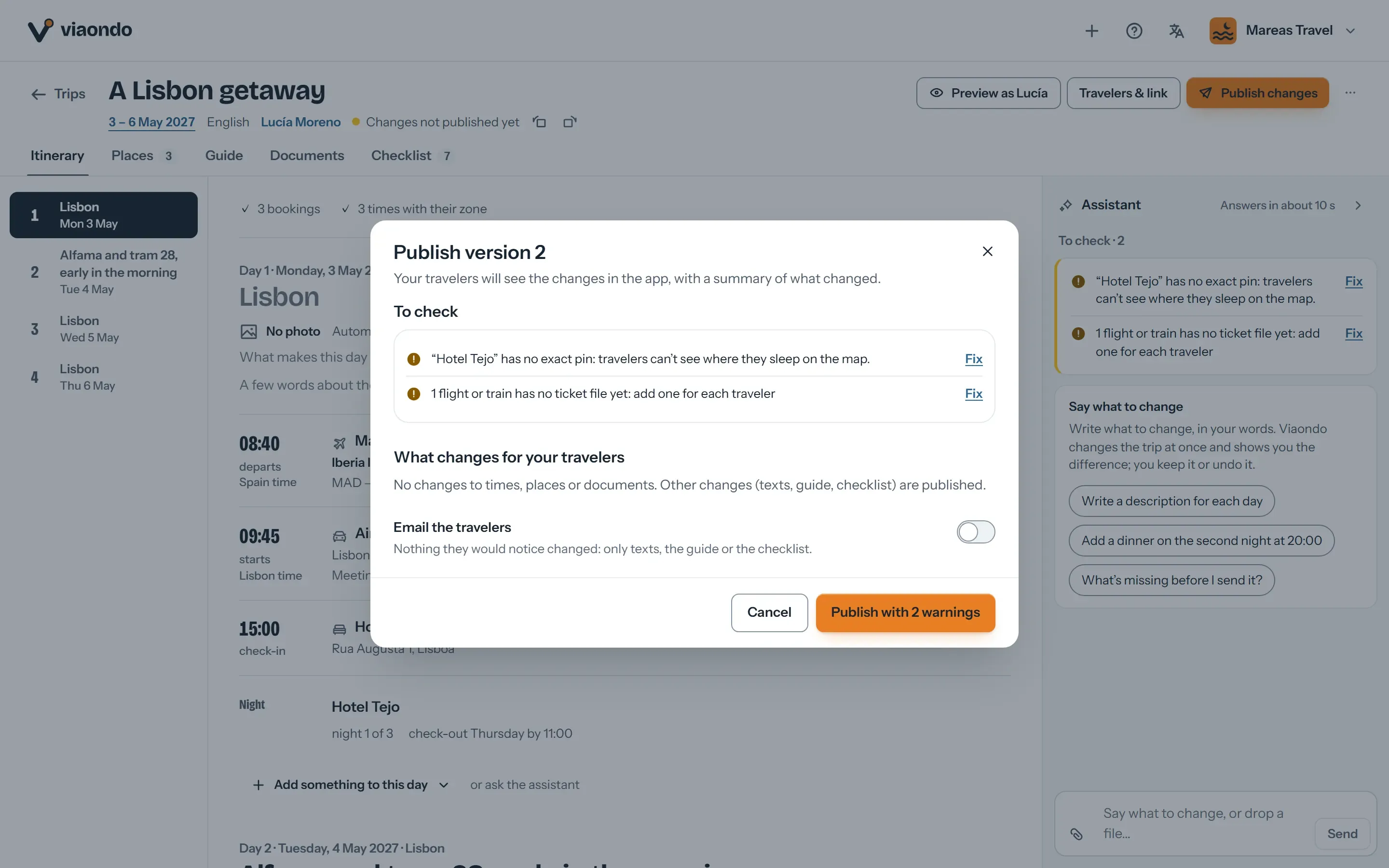
    Publish dialog with the trip check and the summary of changes for travelers
    Before a change goes out, the trip check flags what’s missing and lists every change travelers will see.

    What to know before you use it for rail trips

    What Viaondo does

    • Builds the rail trip from your tickets
    • Shows each train’s coach, seats and local times
    • Keeps every ticket working offline
    • Shows travelers what changed when you publish

    What Viaondo doesn’t do

    • Selling rail tickets, seat reservations or rail passes
    • Live platforms, delays and disruption alerts
    • Checking that a connection between two trains is long enough
    • A connection to rail operators or your reservation system: there’s no API, so bookings come from documents or typing
    • An App Store or Google Play app: the traveler app is a web app with your brand

    Viaondo has no live rail data. If you know the platform, you add it; otherwise travelers read it on the station board. The Trip Check flags times that overlap, but it doesn’t judge whether a change of trains leaves enough time.

    What rail travelers get from agencies today

    Most rail trips still go out as a PDF with the tickets attached, and some travelers keep their own organizer app. Where each one fits:

    • PDF and WhatsApp

      Free and familiar. But the coach and seat are on page six, the file opens offline only if the traveler saved it, and a changed train means a new PDF.

      Viaondo vs PDF and WhatsApp
    • TripIt

      Good for travelers who organize their own trips. Each person keeps their own account and forwards their own emails, so they never get one plan from you, with your brand.

      Viaondo vs TripIt

    What you can check for yourself

    Viaondo is new and has no published customer reviews yet, so these are the things you can verify rather than take on trust:

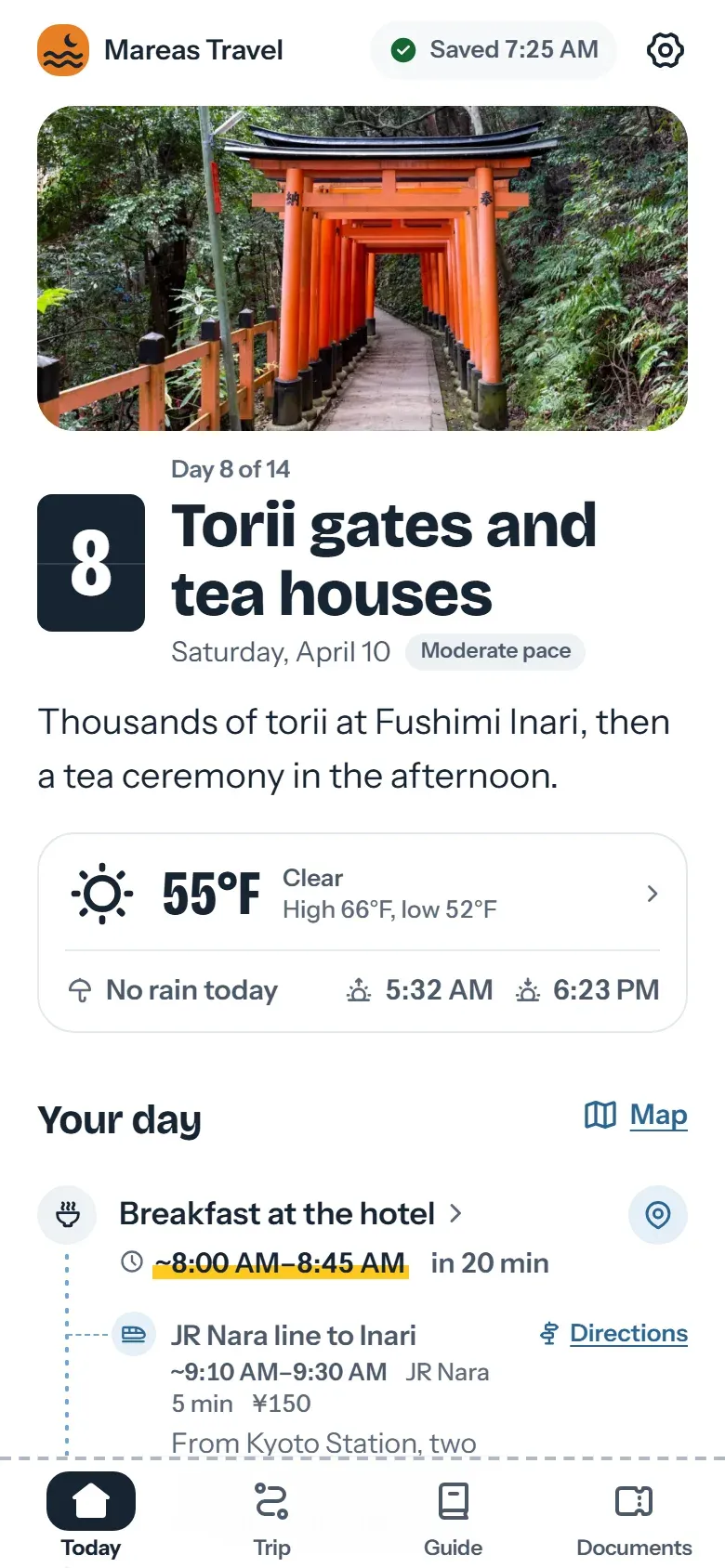
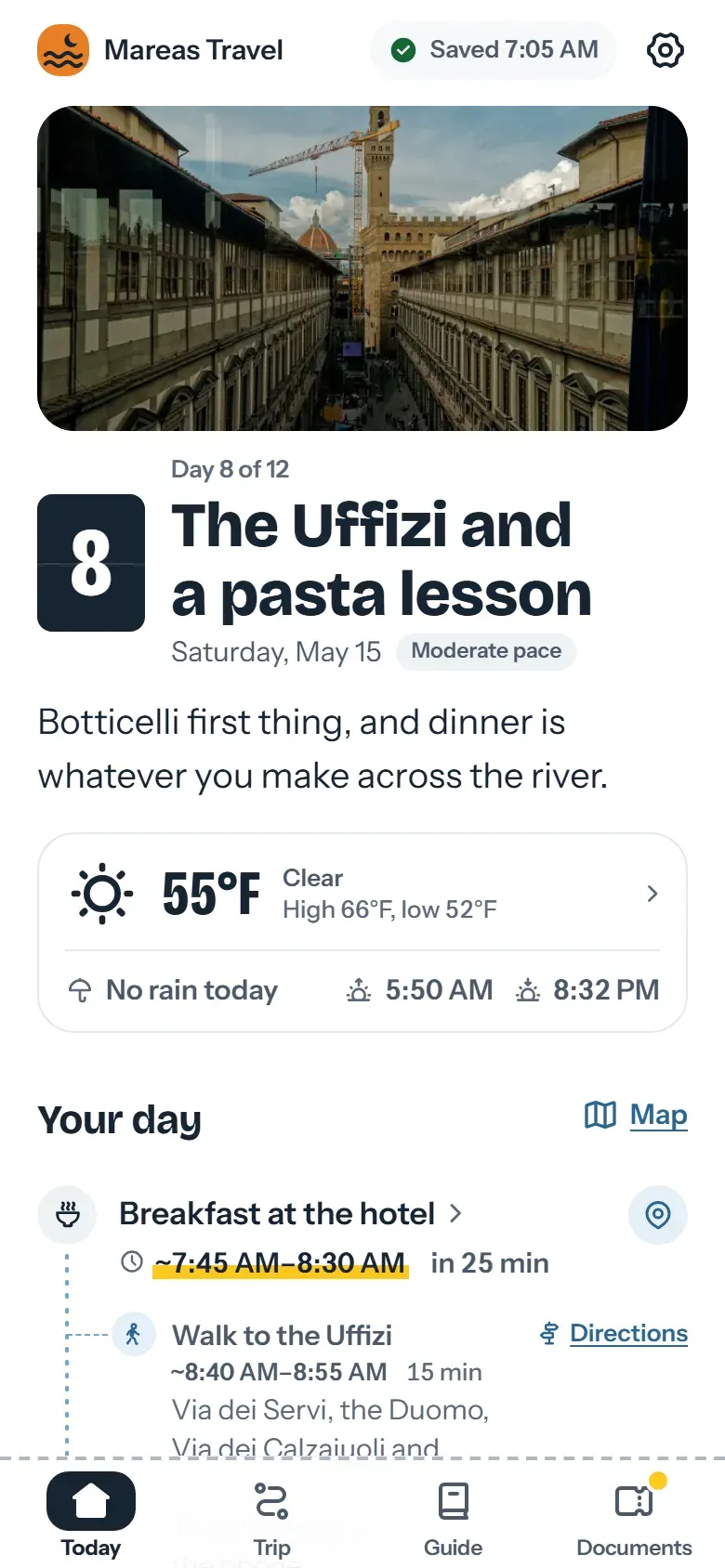
    • The result. The phone at the top of this page shows a fictional 12-day trip through Italy by rail: three trains between Rome, Naples, Florence and Venice, each with its coach and seats, and each traveler’s tickets. The example app, a fictional trip to Japan with its own trains, opens on your phone with no account.
    • Your own rail trip. You can draft, preview and import up to 20 documents a month with no card and no plan. Only publishing needs a plan.
    • Where the data is. The database and files are stored in the EU. Links are private, stored hashed, and send no referrer to other sites.
    • What travelers need offline. Our guide to offline travel documents on your client’s phone sets out what to save and how to check it, with any tool.

    Frequently asked questions

    Does Viaondo sell rail tickets or reservations?
    No. You book trains with your usual suppliers. Viaondo reads the tickets you upload and delivers the trip to your travelers as an app.
    Link to this answer
    Can travelers see the platform?
    When you know the platform, you add it to the train and publish, and travelers see it as a change. Viaondo has no live station data, so if the platform is only announced on the day, travelers read it on the departures board.
    Link to this answer
    Do the tickets work offline?
    Once the trip has been opened with a connection, each traveler’s tickets are saved on the phone and open with no signal. Whether a rail operator accepts a ticket shown on a phone is the operator’s rule, so check it for each ticket.
    Link to this answer
    How are time zones handled across borders?
    Each time is stored in the local time of its station or airport, and the app shows it with the zone’s name. Our guide to time zones and daylight saving in itineraries covers the cases that catch agencies out.
    Link to this answer
    What does it cost?
    US$50/month per agency, plus VAT where it applies, or US$500/year with two months free, with unlimited trips and travelers and your team included (fair use). There’s no setup fee.
    Link to this answer

    Who makes Viaondo, and how we check it

    Who builds it

    Pablo Bravo builds Viaondo in Spain and answers the support email himself.

    About Viaondo

    Where the data lives

    The database and files are stored in the European Union, under a data processing agreement. Tickets and vouchers are deleted 30 days after the trip ends.

    Data processing agreementSubprocessors

    How we check other tools

    Other tools’ prices and features come from their own pages, and every comparison shows the date we checked it. Latest check: 5 November 2026.

    Travel agency software prices, side by side

    How well the import reads

    We publish a benchmark of the booking import, with its method and results.

    We ran 57 fictional travel documents through our AI import: what it got right and what it missed

    What has shipped

    Every product update is dated and explained in plain language. Latest: 4 November 2026.

    What’s new in Viaondo

    Try it with your next rail trip

    Import the tickets of a real rail trip and open the draft on your phone, then turn on airplane mode. Drafting and previewing need no card. Publishing starts the 14-day trial, which takes a card and charges nothing until day 15. Or open the example app first.