What does TripIt do better than Viaondo?
TripIt was built for travelers who organize their own trips, and for them it has these advantages:
- It’s free for the traveler. Your client can use the basic app without paying, and it costs your agency nothing.
- All of the traveler’s trips in one place. Business trips and flights they book themselves sit next to your trip in one account. Viaondo only shows the trips your agency builds.
- Automatic import from the inbox. Travelers forward confirmations to plans@tripit.com, or connect Gmail, Outlook, Microsoft 365 or Yahoo with Inbox Sync so plans are added for them.
- Apps everywhere. TripIt has apps for iOS, Android, Apple Watch and Mac, plus the website. Viaondo is a web app and isn’t in the App Store or Google Play.
- Flight alerts with TripIt Pro. Real-time flight status, check-in reminders, gate and terminal reminders, alternate flight options, interactive airport maps and risk alerts. Viaondo has no automatic flight alerts.
- Japanese. TripIt is available in Japanese; Viaondo isn’t.
- SAP Concur. Travelers whose company uses SAP Concur may get TripIt Pro at no cost.
How much does TripIt cost, and who pays?
The traveler pays, if anyone does. The TripIt app is free; TripIt Pro costs $48.99/year as an in-app purchase on the US App Store, with a 30-day free trial, and some travelers get Pro through their company’s SAP Concur. Your agency has nothing to buy, and nothing to control either: the trip sits in your client’s own account.
Viaondo turns that around. Your agency pays US$50/month, plus VAT where it applies, for unlimited trips and travelers, and your clients pay nothing and need no account.
When is Viaondo the better choice?
Viaondo is the better choice when you want to hand over the trip ready to use, rather than ask the client to assemble it:
- You build the trip for your client. Your client doesn’t forward emails or create an account. You load the bookings and add what isn’t in them, and your client gets a link.
- Every trip carries your brand. In TripIt your trip appears under TripIt’s name. In Viaondo it carries your logo, color, contact details, WhatsApp button and review link. See branding.
- You stay in charge of changes. When something changes, you publish a new version and the traveler sees what changed.
- Your clients speak other languages. Portuguese, Italian, Dutch, Polish, Turkish and Swedish aren’t in TripIt’s language list; Viaondo works in all of them.
- You care where your data lives. Viaondo’s database and files are stored in the EU. TripIt’s privacy statement allows transfers outside the EEA.
When is TripIt enough?
TripIt is enough when your clients are frequent travelers who already keep everything in it, and what you sell is a flight or a hotel rather than a built trip. If they forward their own confirmations and have Pro for flight alerts, an agency app adds little for them.
It also suits travelers whose company provides TripIt Pro through SAP Concur. TripIt’s own help article on travel arrangers says that workflow isn’t designed for travel agencies, though, so it’s their tool rather than yours: you can’t brand it, and every client needs their own account.
Who does the work?
With TripIt, the itinerary depends on what the traveler forwards and how TripIt reads each email. With Viaondo, you upload PDFs, screenshots or confirmation emails to booking import, and they go into the trip’s draft, each booking linked to its document. Then you add the destination guide, places, checklist and emergency numbers.
What does your client see?
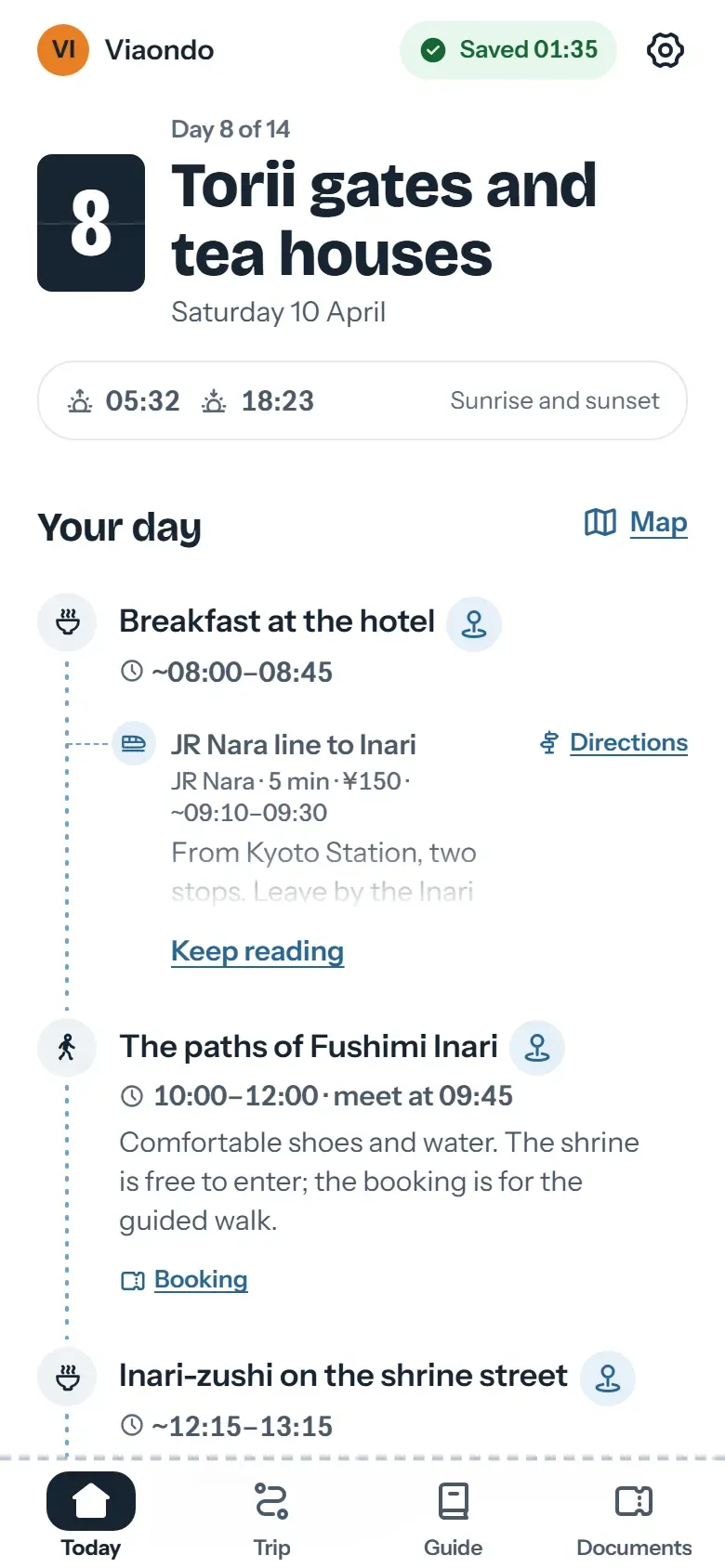
In TripIt, your trip appears next to their other plans, under TripIt’s name. In Viaondo, the traveler app opens from your private link with your brand. With personal links, each traveler sees the shared items plus their own documents and seats. In TripIt, a change has to reach the traveler’s account as a new confirmation; in Viaondo, you publish and the app shows the before and after.
How do you start if your clients use TripIt?
Nothing has to move: the trips live in your clients’ accounts, not yours. Upload the confirmations of your next departure, check what’s listed under To confirm and publish. Clients who like TripIt can keep it for their own travel, and from Viaondo they can add one plan or the whole trip to their calendar.
Start with the 14-day free trial, or open the example app to see what your clients will receive from you.