What does mTrip do better than Viaondo?
mTrip has been building travel apps since 2009 and goes further than Viaondo in several areas:
- An app under your own name. On the White-Label plan, mTrip publishes a dedicated app in the App Store and Google Play under your Apple and Google developer accounts, with the online itinerary on your own domain. Viaondo has no store app: the trip is a web app that travelers can add to their home screen.
- GDS and mid-office connections. mTrip connects to Amadeus, Sabre and Travelport, to mid-office systems such as Tourplan, Moonstride, Ezus and Juniper, and to Zapier and its own API. If your bookings already live in a GDS, they can reach the app without anyone uploading a document.
- Talking to travelers in the app. mTrip offers two-way messaging linked to email or help-desk tools, a group chat for travelers and their tour leader, flight alerts for delays, gate changes and cancellations, and notifications set off by time, place or booking stage. Viaondo has a WhatsApp button and opt-in push reminders, but no chat and no live flight tracking.
- Maps and guides offline. mTrip includes offline maps with GPS navigation and more than 3,600 destination guides. In Viaondo, the itinerary, addresses and documents work offline, but the street map needs a connection.
- Business travel and groups. mTrip also serves TMCs and meetings and events agencies, with an optional risk-management add-on for traveler tracking. Viaondo is built for leisure trips sold by small agencies.
How is mTrip priced?
mTrip doesn’t publish prices. Both plans are a monthly fee based on how many itineraries you send, with unlimited agents, quoted on request. Trip Agent can be canceled anytime and has no setup fee by default, and integrations are paid extras on it. White-Label includes them but needs a setup fee and a one-year commitment, and takes about 2 to 3 weeks to set up. mTrip offers a trial on all plans without saying how long it lasts.
Viaondo publishes one price: US$50/month or US$500/year per agency, plus VAT where it applies, whatever the number of trips, with no setup fee and no minimum term.
When is Viaondo the better choice?
Viaondo is the better choice when you want a known price and no app to publish:
- You want to know the price before talking to sales. No fee per trip, traveler or user. See pricing.
- You don’t want to publish or maintain an app. With mTrip, your own store app means the White-Label plan and your own Apple and Google developer accounts. With Viaondo, you set your logo, app icon and colors, and every trip opens from a link.
- Your bookings arrive as PDFs and emails, not from a GDS. Booking import puts flights, hotels, transfers and activities from PDFs, screenshots and confirmation emails into your draft, each with its local time and its source.
- Your clients speak Turkish or Swedish. Viaondo’s app works in ten languages, including Turkish and Swedish, which aren’t among mTrip’s nine. mTrip offers Japanese, which Viaondo doesn’t.
- You want your clients’ data in the EU. Viaondo stores its database and files in the EU. mTrip says it complies with GDPR, but the pages we checked don’t say where its data is hosted.
Who should stay on mTrip?
Stay on mTrip if your own app in the stores is part of your brand, or if your bookings come from Amadeus, Sabre, Travelport or a mid-office such as Tourplan or Juniper: Viaondo has no store listing and no GDS link, so every booking would have to arrive as a document instead. It also fits operators who chat with travelers in the app, run group chats with a tour leader or count on offline maps with GPS.
TMCs and meetings and events agencies, with traveler tracking through the risk-management add-on, are outside what Viaondo is built for. The White-Label commitment is easier to justify at higher itinerary volumes; Viaondo suits the small agency that would rather not sign a year.
How does the client get the trip?
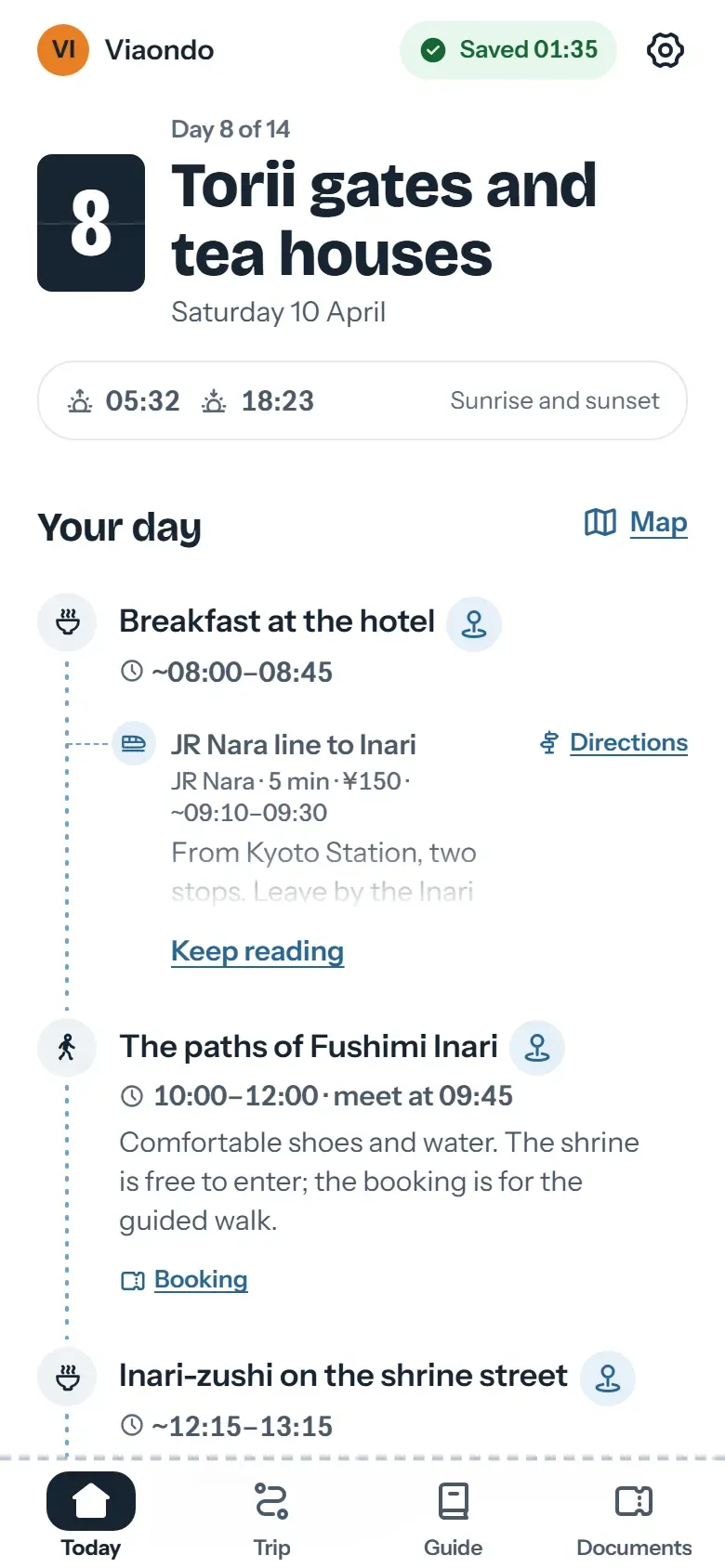
With mTrip, travelers use an app: the shared Trip Agent app or, on White-Label, your own app from the stores, plus a web itinerary. With Viaondo, you send a private link by WhatsApp, email or QR code. The client opens it in the browser, with no account, and can add it to the home screen. mTrip pushes flight changes and contextual notifications; in Viaondo, you publish a new version and the traveler sees what changed since the last one.
How do you move from mTrip to Viaondo?
Viaondo doesn’t connect to mTrip, and it doesn’t need to: keep mTrip running for trips already on the road while new ones go out with Viaondo. Upload the confirmations of your next trips, or describe a trip in a few lines, check what’s listed under To confirm, and use “See as” to preview the app before you send the link.
Start with the 14-day free trial, or open the example app to see what your client will receive.